Everything posted by MCSammer
-
A. It's XP 32-bit SP3 with a win7 skin (The image is) B. I downloaded it from the nlite website after it was released. C. Would I uninstall 3.5, 3, 2 sp2, and 1.1? D. Yes it was working, hence the "project I've been working on for a week" E. It worked yesterday, and it finished making an ISO, which unfortunately did not work (Tested it using VirtualBox) F. I hope I don't seem to, PO'ed, it's been a poor day, as I mentioned before, but I don't mean to take it out on anyone. G. I did delete a bunch of fonts I don't use (about +1500 of +3700) earlier today, so I want to call that the culprit. H. Thanks for your help.
-
Dear John, I was just trying to load nLite, to work on a project I've been working on for everyday for about the last... week. and I'm compulsive about getting the latest updates for everything, so it's not an out of date issue. and I tried installing, uninstalling, installing, it but same error. idk, let's just say that this is by far the best thing that's happened all day, so I'm kinda irritated.
-
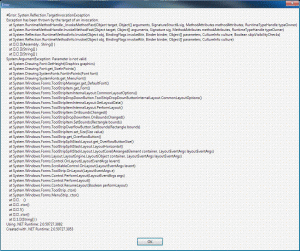
Sorry to revive this forum, but I just got a similar error for the first time ever. I attached a screenshot for it. I read through the error several times, and I just can't seem to find anything that I could have cause, or know how to fix. any help would be greatly appreciated.