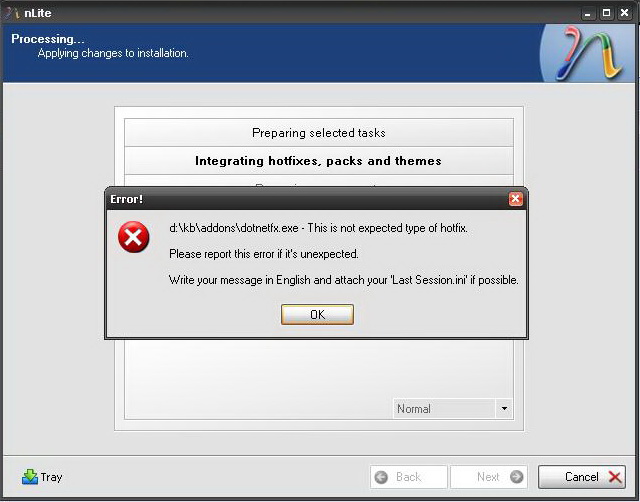
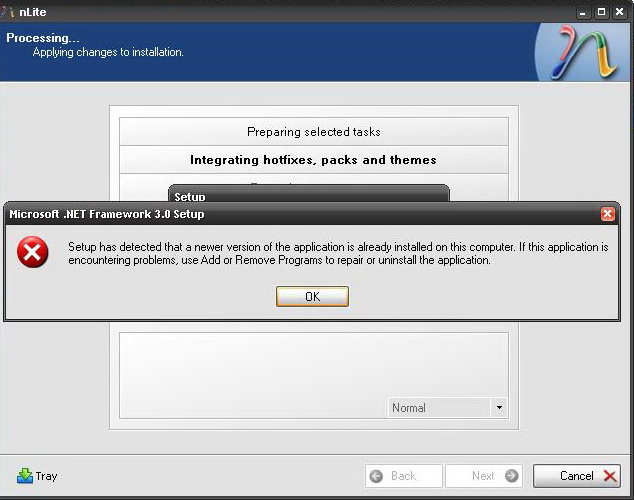
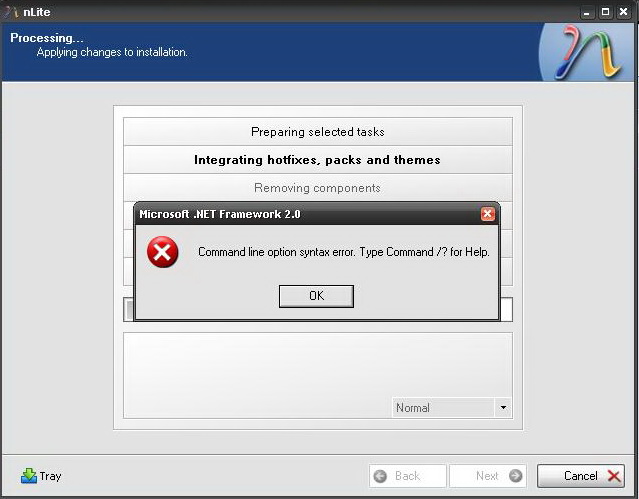
-
I actually did try that, didn't do anything =P. I have no idea what else is left to do, heh.
-
Ok, so I gave each individual suggestion a try using a fresh copy of source XP each time and the results are: 1) Failed 2) Failed 3) Failed I figured suggestion #3 (the tweaks section) might've had something in there checked or unchecked that shouldn't have been, but removing it entirely didn't do anything - the theme service is still not running by default. I'm just about ready to say screw it and manually set it to automatic with every new format because this is getting a bit tedious.
-
I'll give all 3 suggestions a try. I always use a fresh copied source of XP before I use nLite (and I only run nLite once on the same source). I'll give it a try and let you know how it goes. Cheers!
-
Sure, here it is: Last_Session.ini
-
Well, I removed all the hotfixes/updates, the only thing I left in to install was IE7 and WMP11. Suffice it to say, it didn't work. Seems like we're running out of things to try...
-
I'll give it a shot right now, but what's the point of making a Slipstreamed disc if it's virtually the same as the original CD? =P. But yeah, trial and error - doing it now, so give me a few. I'll let you know how it goes shortly. Cheers!
-
Well, I've fixed everything and used your suggestion for the .NET Framework RunOnce. Unfortunately, everything I've re-done seemed to have no effect on the Theme issue (it, once again, has shown up as Classic with no others showing up in Display properties). The .NET install also froze for a while, but did end up finishing. The themes nonsense is starting to get aggravating to say the least.
-
Do all my updates/hotfixes and the .NET installers absolutely have to be in the WinXP Source folder (ie: C:\WinXP\AddOns)? Aren't the updates/hotfixes already installed through the Hotfix integrator page? About slipstreaming WMP11, you use the WMP11 Slipstreamer first, then add the WMP11 installer into the hotfix page correct? I'm not sure if I was doing it right or not, so I had to ask.
-
-
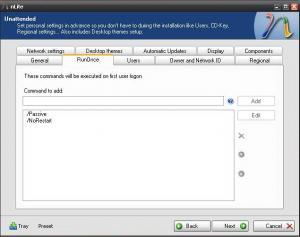
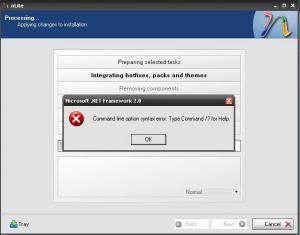
Here's the links to the .Net Framework installers: .Net Framework 2.0 http://www.microsoft.com/downloads/details...dd-aab15c5e04f5 .Net Framework 3.0 http://www.microsoft.com/downloads/details...f5-25634c3bf043 .Net Framework 3.5 http://www.microsoft.com/downloads/details...31-508d977d32a6 Here is the Last Session and screenshots: Last_Session.ini
-
I tried using the installation packs for the .NET Framework versions from the MS DL Center website (I also used the commands you suggested in the RunOnce tab) and it didn't work, 5-8 errors popped up and none of them installed. Is there something I was missing? Thanks mara, but I'm not registering to a forum just to download it, heh. Cheers
-
Yes, it should be set to "Automatic" by default. In your "LS.ini" are no different settings. Is it set to "Automatic"? If it is not running, can you start the service manually? If not, is there a message? It was set to Automatic by default, but the service was not running by default. Why is this and where is this setting in nLite so that it's on by default? P.S - I opened Luna.theme and it works, now just for figuring out the setting so that's Automatic and the themes services is started upon first boot as well.
-
I just tried opening the .theme files, this is what it said: "The theme could not be loaded because the theme service is not running. You can turn the service on in the Computer Management Administrative Tool in the Control Panel.". Shouldn't this service be running by default? It's strange that it isn't.
-
Right now or with the slipstreamed install? I've never tried running them on my current installation because they work just fine. I'm about to test the new Slipstreamed disc in VMWare momentarily, it's almost finished installing windows.
-
Yes, there is, including folders named Luna and Zune and the same in files with the extension .zh_