Everything posted by smallcave
-
My problem on XP has been solved , thank you. I am going to create Vista CD next week. I will post the "help" when I have problem.
-
I made a XP+SP3+IE7+WMP11 boot CD with repair mode successfully. Also the computer name can be generated by the unattended file --> winnt.sif , as I changed the computer name from "HOME-PC" to "MY-PC". Here is my last session Last_Session_u.ini Last_Session.ini
-
Thank you for your help , John The Repair Mode problem has solved. But unattended functtion can't work properly , the computer name is generated by system not by the winnt.sif.
-
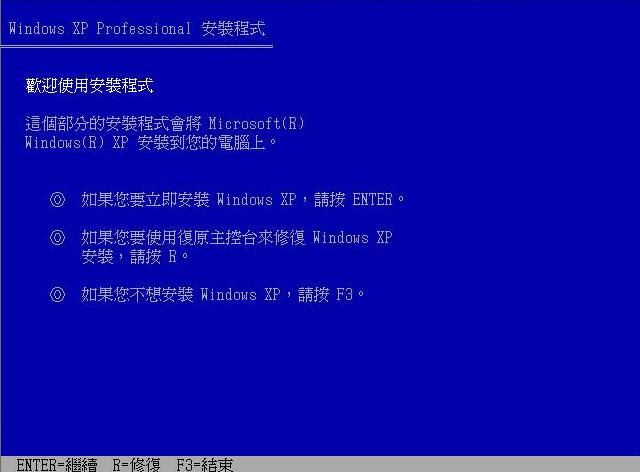
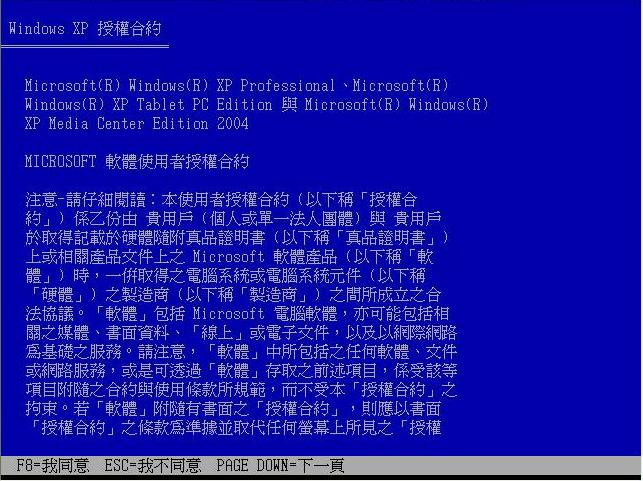
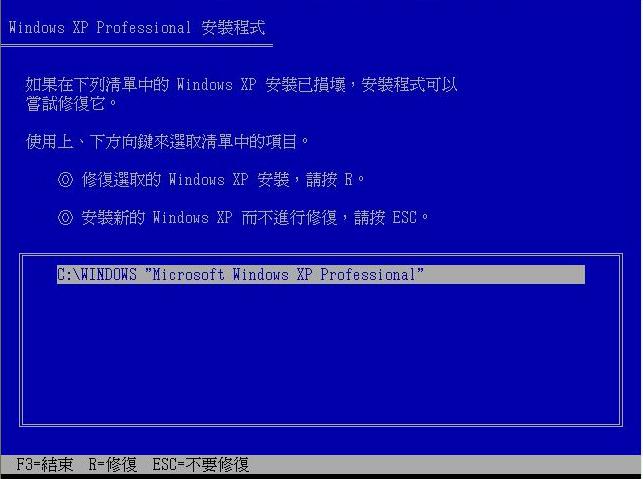
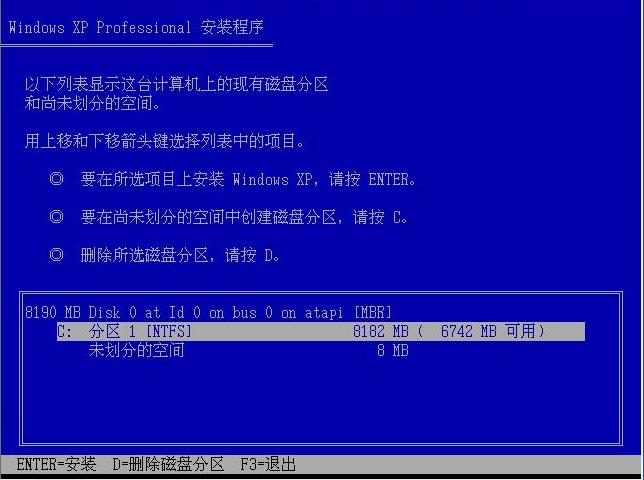
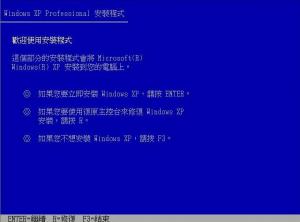
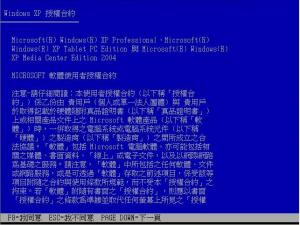
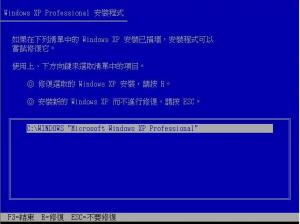
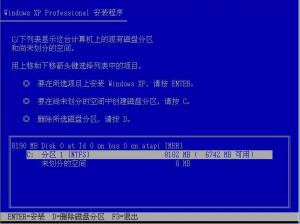
Sorry for my poor presentation.My scenario is that : 1. I have created a new XP CD with SP3+IE7+wmp11 , it functions. ( I tested it on VMWare) 2. I have an old PC , the OS is XP_SP2 ( I want to repair it with my new created XP CD ) 3. When I insert the new XP CD to my old PC. The CD boots up , but it can find out the previous window in the old PC. It only shows me the photo 4.jpg to let me install a new XP. Here are three photos, I think you should see them before. I expect that when the new XP CD boots up , it should ask me : 1. show the photo 1.jpg , "Welcome to Setup" 2. when I press "ENTER" , it should show the photo 2.jpg , "Microsoft Window XP Professional END-USER LICENSE AGREEMENT"" 3. When I press "F8" , it should show photo 3.jpg , asking me to "Repair the Window or NOT" 4. When I press "ESC" , it should show photo 4.jpg , let me choose a partition to install a new XP. My question is that : 1. Why does the new XP CD skip the steps photo 1.jpg , 2.jpg , 3.jpg ? 2. Are there any steps wrong when I use nlite ?
-
Hello , I also have this problem. I had created a XP_SP3 bootable CD using nLite1.4.9.1, but this CD could not show the window License screen and find out the previous window version. Therefore I can't use this CD to recover the OS then it has problem. Here is my LAST SESSION.INI Please give me an advice. LAST_SESSION.INI