Skip to content
View in the app

A better way to browse. Learn more.

MSFN

A full-screen app on your home screen with push notifications, badges and more.

To install this app on iOS and iPadOS
  1. Tap the Share icon in Safari
  2. Scroll the menu and tap Add to Home Screen.
  3. Tap Add in the top-right corner.
To install this app on Android
  1. Tap the 3-dot menu (⋮) in the top-right corner of the browser.
  2. Tap Add to Home screen or Install app.
  3. Confirm by tapping Install.

xenador

Member
  • Joined

  • Last visited

  • Country

    United States

Everything posted by xenador

  1. I had it installed, but apparently it was corrupted or disabled. Everything is working after I repaired it. Thanks
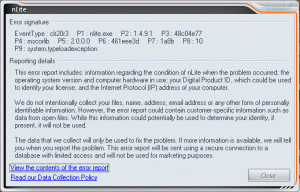
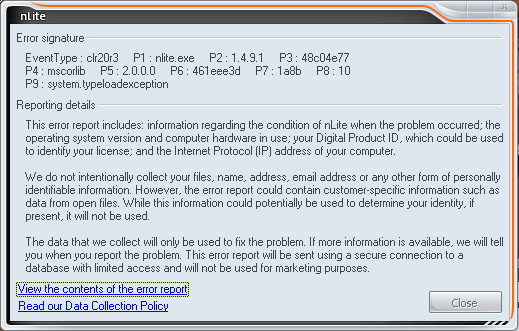
  2. I have used nLite before and had no problems installing it. When I installed nLite on my computer this time, I got an error message immediately after I tried to start the program. I installed version 1.4.9.1 and I am running XP Pro SP3. I got the standard windows error message "nLite has encountered a problem and needs to close." I attached a picture of the error signature if that helps. I uninstalled, removed the registry info with CCleaner, rebooted and reinstalled, but I still got the same error. I repeated this process with v1.4.9 and v1.4.8 with no success. Any help would be appreciated.


Account

Navigation

Configure browser push notifications

Chrome (Android)
  1. Tap the lock icon next to the address bar.
  2. Tap Permissions → Notifications.
  3. Adjust your preference.
Chrome (Desktop)
  1. Click the padlock icon in the address bar.
  2. Select Site settings.
  3. Find Notifications and adjust your preference.