



Skip to content
View in the app

A better way to browse. Learn more.

MSFN

A full-screen app on your home screen with push notifications, badges and more.

To install this app on iOS and iPadOS
  1. Tap the Share icon in Safari
  2. Scroll the menu and tap Add to Home Screen.
  3. Tap Add in the top-right corner.
To install this app on Android
  1. Tap the 3-dot menu (⋮) in the top-right corner of the browser.
  2. Tap Add to Home screen or Install app.
  3. Confirm by tapping Install.

Teddy22

Member
  • Joined

  • Last visited

  • Country

    Germany

Everything posted by Teddy22

  1. Hi, thanks for your answer! Yes, it does show okay in the device manager. Even weirder it is since vLite used exactly this same drive to copy the original Vista CD to the HD (into which it slipstreamed SP1). Maybe I have to use this workaround in the end... but I still hope to solve my problem! I looked for the region code of my DVD; it is 2. Can this be a problem? Thomas
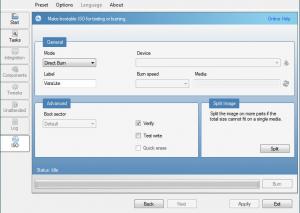
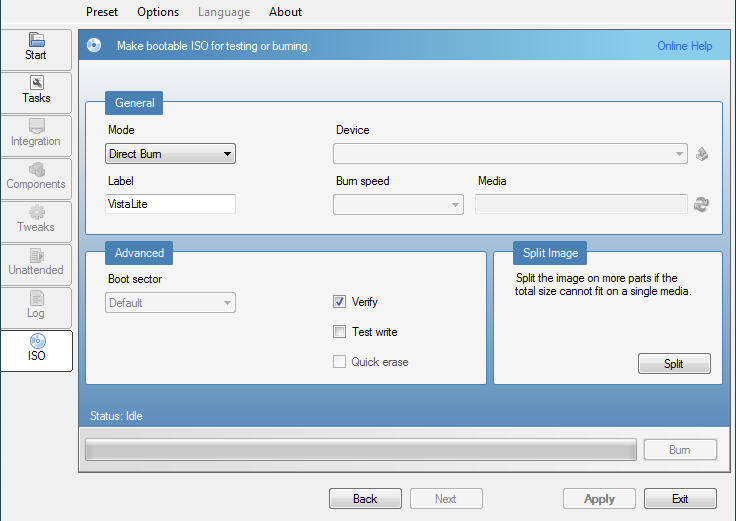
  2. Hello, with vLite 1.2 I slipstreamed SP 1 into my Vista Home Basic. It worked fine. Now, when I want to make use of it, in the ISO-Tab of vLite my DVD-recorder doesn't appear in the Device field (This field is greyed out, as is the Burn speed field - see attached image). Your help would greatly be appreciated; what have I got to do to burn it with vLite? Thank you in advance, Thomas
Account

Navigation

Configure browser push notifications

Chrome (Android)
  1. Tap the lock icon next to the address bar.
  2. Tap Permissions → Notifications.
  3. Adjust your preference.
Chrome (Desktop)
  1. Click the padlock icon in the address bar.
  2. Select Site settings.
  3. Find Notifications and adjust your preference.