Skip to content
View in the app

A better way to browse. Learn more.

MSFN

A full-screen app on your home screen with push notifications, badges and more.

To install this app on iOS and iPadOS
  1. Tap the Share icon in Safari
  2. Scroll the menu and tap Add to Home Screen.
  3. Tap Add in the top-right corner.
To install this app on Android
  1. Tap the 3-dot menu (⋮) in the top-right corner of the browser.
  2. Tap Add to Home screen or Install app.
  3. Confirm by tapping Install.

hkclbb

Member
  • Joined

  • Last visited

  • Country

    Hong Kong
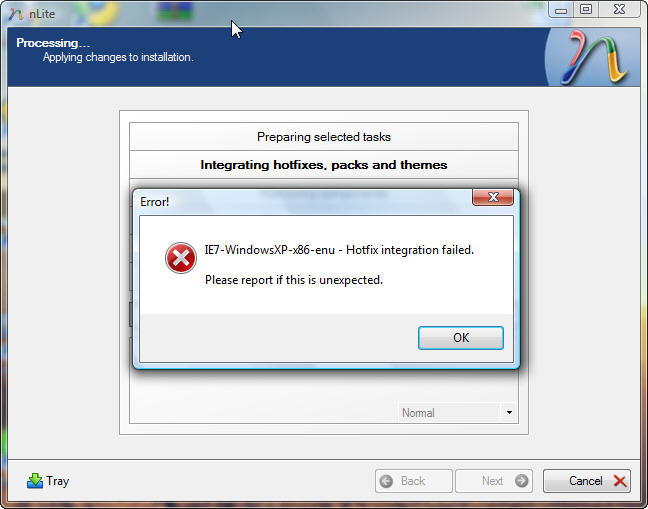
  1. It is XP VOL come with SP3 ,relesed by MS ....... the md5 is same as the one showing on ms's site... it is not came with i7.....i have try to install it...so many time before... i have try to working on XP SP3...but also same error... it seems about the IE install or the nlite....because it seems a wrong variable error message...
  2. MY MD5 same as your one :193BF89A4556ECA1AC244BEDBE7AB5AA i have try to Integrat both eng and chinese to it ....but also same error...
  3. Sorry about that .... i am trying to work on XP SP2 Compatibility mode ,but it is not work too... OS:Vista Ultimate (Build 6001:SP1) Souce:Windows XP Professional SP3 - 5.1.2600.5512 - Chinese Getting IE from: http://www.microsoft.com/downloads/details...splaylang=zh-tw Last_Session.ini
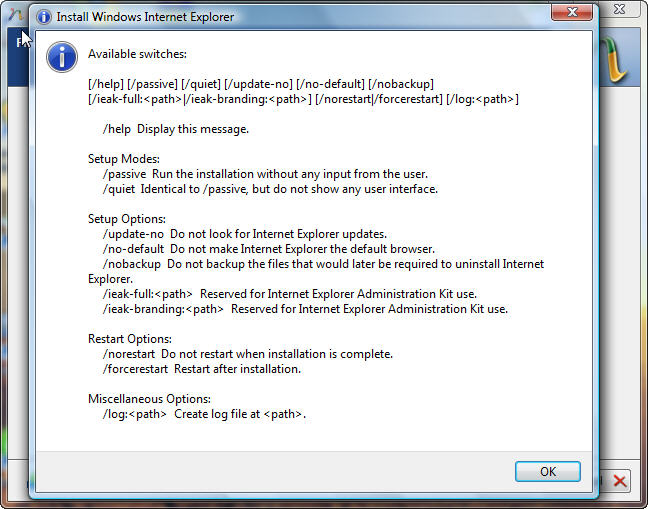
  4. It show these errors....

Account

Navigation

Configure browser push notifications

Chrome (Android)
  1. Tap the lock icon next to the address bar.
  2. Tap Permissions → Notifications.
  3. Adjust your preference.
Chrome (Desktop)
  1. Click the padlock icon in the address bar.
  2. Select Site settings.
  3. Find Notifications and adjust your preference.