



Skip to content
View in the app

A better way to browse. Learn more.

MSFN

A full-screen app on your home screen with push notifications, badges and more.

To install this app on iOS and iPadOS
  1. Tap the Share icon in Safari
  2. Scroll the menu and tap Add to Home Screen.
  3. Tap Add in the top-right corner.
To install this app on Android
  1. Tap the 3-dot menu (⋮) in the top-right corner of the browser.
  2. Tap Add to Home screen or Install app.
  3. Confirm by tapping Install.

wewe70

Member
  • Joined

  • Last visited

  • Country

    Israel
  1. Doesn't work - I wish XP was more configurable.....
  2. How do I install ICQ 6 unattended?
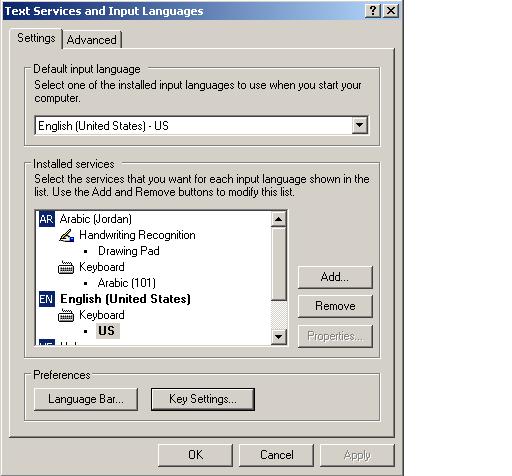
  3. I got no idea what you talking about plz explain a little bit better See the attached photo. Let's say I want to remove Arabic from list of installed languages. What registry entries do I have to change? Thanks!
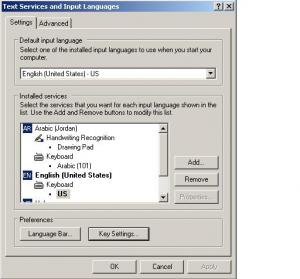
  4. Any idea how I can create a .reg file that will allow me to change installed languages - for example Add/Remove Russian language from "default input language" list?
  5. RegTweaks Collection v0.4 was last updated in 2006. Attached is new version. tweaks_collection_v0.4.2_en__UNOFFICIAL_.zip
  6. yes you are correct, someone should release version 0.5 with this fix
  7. there is still some text in spanish in the _en version: Otimizar Disco Rםgido quando inativo also I think most people would want FULL url so the code should be: [HKEY_CURRENT_USER\Software\Microsoft\Internet Explorer] "Show_FullURL"=dword:00000000
Account

Navigation

Configure browser push notifications

Chrome (Android)
  1. Tap the lock icon next to the address bar.
  2. Tap Permissions → Notifications.
  3. Adjust your preference.
Chrome (Desktop)
  1. Click the padlock icon in the address bar.
  2. Select Site settings.
  3. Find Notifications and adjust your preference.