Skip to content
View in the app

A better way to browse. Learn more.

MSFN

A full-screen app on your home screen with push notifications, badges and more.

To install this app on iOS and iPadOS
  1. Tap the Share icon in Safari
  2. Scroll the menu and tap Add to Home Screen.
  3. Tap Add in the top-right corner.
To install this app on Android
  1. Tap the 3-dot menu (⋮) in the top-right corner of the browser.
  2. Tap Add to Home screen or Install app.
  3. Confirm by tapping Install.

jdbeanie

Member
  • Joined

  • Last visited

  • Country

    United Kingdom
  1. I certainly do have sp1 fow xp installed. I think I'll try Marsden option of a differnet PCI slot and then report back. I really don't want to have to rebuild JD
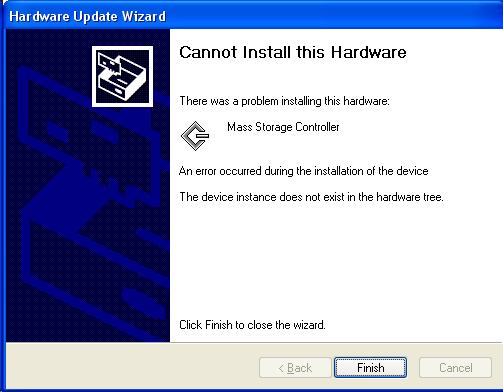
  2. I also get this error when try to setup the card as a normal controller. Again I have tried a number of differnet drivers to get around - alas no luck James
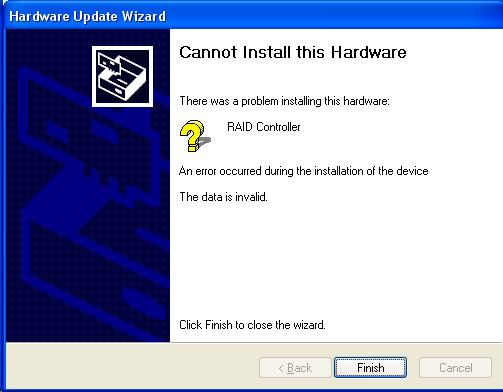
  3. Hi I'm having major prob's with a Silicon Image Sil 0680 raid controller in that I can't get it intalled in XP. I've tried the drivers which come with the card and also the latest ones I can find frim Silicon's website. Everytime I go through the driver install I get an error that the data is invalid. Well I'm stuck - Anyone got any idea's ????? Thanks, James
Account

Navigation

Configure browser push notifications

Chrome (Android)
  1. Tap the lock icon next to the address bar.
  2. Tap Permissions → Notifications.
  3. Adjust your preference.
Chrome (Desktop)
  1. Click the padlock icon in the address bar.
  2. Select Site settings.
  3. Find Notifications and adjust your preference.