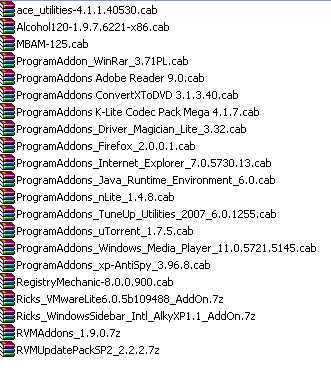
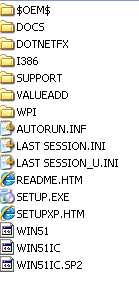
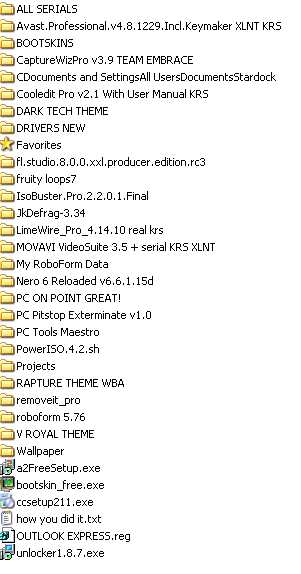
-
Thanks a bunch!!!!!!!!!!! Kelsenellenelvian
-
How Do I Test my Standalone WPI Without IE 1386 FILES???????..........I Have VMWARE and I Can't Test It In There unless i have a 1386/WINDOWS CONTENTS. I know how to make the standalone WPI ,But Idon't want to burn a CD everytime just to test it. HELP!!!!!!! PLEASE!!!! Also is there any way to use NLITE ADDONS and integrate them in a WPI STANDALONE ??????? PLEASE HELP I'M STUMPPED
-
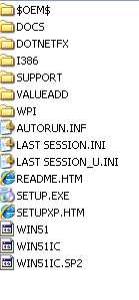
i used nlite to integrate and create iso. i used vmware to start and just after the blue screen came up " inspecting you computers blah blah blah" and just after that the message poped up " please insert disk labeled windows xp home edition service pack 2 ". my xp disk original already have those file on them and when i copy and paste them to a folder from my cd they are there. i copy the oem and wpi and install folder and list commands vis config in wpi. add nlite addons via nlite and add wpi's addons vis hottfix/addon....create iso alls well use vmware the blue screen message.
-
yeah kell i used a fresh copy the only thing i re-used was my install folder.......re-entered everything manually. but... i can start wpi and the option screen still exist the same question? does wpi have file that autorun from the computer and disabling them will cause this????
-
yeah kell i used a fresh copy the only thing i re-used was my install folder.......re-entered everything manually. but... i can start wpi and the option screen still exist the same question? does wpi have file that autorun from the computer and disabling them will cause this????
-
i been using wpi to slowly add new files to my iso and testing it via vmware. all of a sudden i was getting the message" please insert sp2 cd in floppy disk ,or whatever,,,, i read the forum and it said to replace the files> win51 ,win51ip,win51ip.sp2 or win51 ,win51ic, win51ic.sp2 depending on if you have xp pro or xp home................did that in many variations. things tried: 1. copying a fresh xp and and only intergrated via nlite, ( addons ) and didnot inegrate wpi add ons but........placed it in the same folder = worked 2. copying a fresh xp and and a fresh wpi 7.0 and integrating nlite addons plus the ones i created before that work many times previosly = did not work/ asked for sp2 cd or whatever. i used nlite to create but i used the unattended option and didnot use any xp service packs since i have a original xp home that already have sp2 integreted......... also i noticed that after the fail install test which stops on that blue screen"please insert windows sp2 cd" or whatever........when i go in wpi,,,,and go to options , i noticed that i can't click on the tab on the top ,because their not displaying correctly...........now i can however click on the lower tabs/little box options ,but i can't change the screen to the audio option since it's not there. do you have any sugestions????? do you think that's it's my settings in the nlite unattended options??? or shoud i try wpi 7.1????? or maybe i tried everything almost............. i'm at my wicks end............... attached are copies of files from wpi on the xp unattended that didn't work: please help!!!!!!!!!!!! LAST_SESSION.INI useroptions.js config.js windowoptions.js index.css