-
OK promlem solved. I have reintegrated the drivers.
-
Thank you for your reply. I found the file. It is "Winnt.sif " It has alredy been edited and generated by nLite 1.4.9.1 but for some reason it is not working. ; Generated by nLite 1.4.9.1 [Data] Autopartition=0 MsDosInitiated=0 UnattendedInstall="Yes" [unattended] UnattendMode=DefaultHide UnattendSwitch="Yes" OemPreinstall="Yes" OemSkipEula="Yes" FileSystem=* WaitForReboot="No" NoWaitAfterTextMode=1 NoWaitAfterGUIMode=1 DriverSigningPolicy=Ignore NonDriverSigningPolicy=Ignore Hibernation="No"
-
I am making a unattended installation of WinXP 64 bit. I have also integrated the Intel SATA drivers. However during installation I keep getting the warning; "The installed INF file does not contain digital signature information. Do you still want to install the driver software?" This makes the installation attendable since I would have to respond to the prompts. Are there any settings in Nlite to avoid this ?
-
I have made a bootable WinXP CD with nLite which worked on my other MOBO's, but for some reason it will not boot on a Asrock P4i65G MOBO. I have also tried nLite bootable WinXP CD iso images by third parties and these also failed to boot. The only way I could make a bootable CD that worked on a P4i65G MOBO is to use a *.ibb project file in ImgBurn, then booting works like a charm. Any ideas, please ?
-
I have managed to create and burn an *.iso of my WinXP OS. I have made 2 versions one with: WMP 11 IE 8 SP 3 Sidebar The other, same as above but also added some tweaks. However this later version keeps restarting the PC after the "Finish (blue, bottom right button) is clicked over to start windows. What should I look for ?
-
-
OK, problem 1 solved. It was a Nero problem. I'm still left with the inclusion problem of .NET Framework 3. It will not slipstream. It just installs.
-
TranceEnergy, thanks for your reply. I have used different media and also different burners but I'm always ending up with the same error when I slipstream SP3. I also used AutoStreamer and everyting went OK. However I sill want to use nLite because it offers more advantages.
-
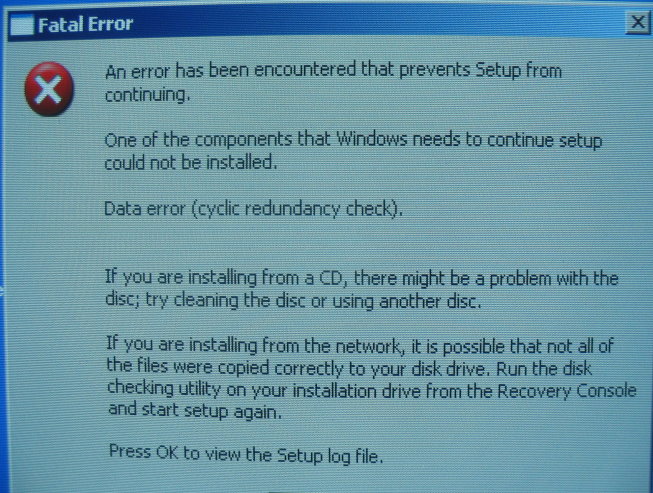
Software used: nLite 1.4.5 I have been trying to sliptream SP3 with WinXP, however for some reason the finished CD is producing an error: Data error (cyclic redundancy check). I just left WinXP without the service pack and everything went well. So it appears that SP3 is causing the problem. How can I slip stream .NET Framework 3.0 It will install rarther than slipstream ?