Skip to content
View in the app

A better way to browse. Learn more.

MSFN

A full-screen app on your home screen with push notifications, badges and more.

To install this app on iOS and iPadOS
  1. Tap the Share icon in Safari
  2. Scroll the menu and tap Add to Home Screen.
  3. Tap Add in the top-right corner.
To install this app on Android
  1. Tap the 3-dot menu (⋮) in the top-right corner of the browser.
  2. Tap Add to Home screen or Install app.
  3. Confirm by tapping Install.

sysminus

Member
  • Joined

  • Last visited

  • Country

    Philippines
  1. you need to brush up your technologies http://support.microsoft.com/kb/814591
  2. it is possible. I am running MAC OS X 10.5.1 Leopard and Vista Ultimate X64 on my Compaq V3235TU laptop Dual boot all is running well except the wifi. I have to buy a USB adapted for MAC But ofcourse what works for me may not work for you. Read more of mac X86 project to find out more details George-Sysminus
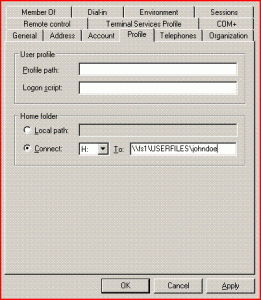
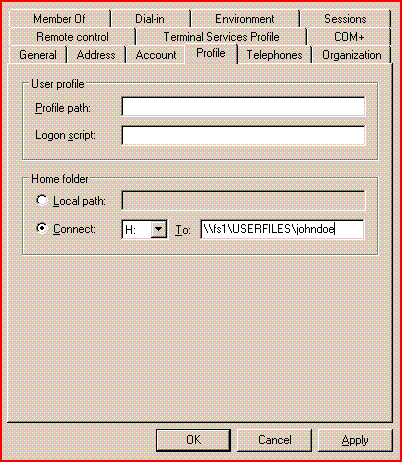
  3. Hi, We use folder redirection thru GPO in a domain environment under server 2003 and win XP SP2. It was working perfectly not until we changed the structure of the files server and redirect all user to the new share for them to use to redirect their My doucements contents. Old setting under User>Proifle settings of user johndoe is : \\fs1\sales\johndoe New setting of user johndoe is : \\fs1\userfiles\jonhdoe ever since I changed the path of this to the new share userfiles folder the synchronization is not working when they log off or shut down their pc. Permission to the new shared folder userfiles is everyone - full access so their no permission level problem. It is the GPO that is not updating the my document path on the WinXP client. Have anyone experience this please help me realign this.. Currently all i can do is to reinstall the winXP to fix it. thanks in advance


Account

Navigation

Configure browser push notifications

Chrome (Android)
  1. Tap the lock icon next to the address bar.
  2. Tap Permissions → Notifications.
  3. Adjust your preference.
Chrome (Desktop)
  1. Click the padlock icon in the address bar.
  2. Select Site settings.
  3. Find Notifications and adjust your preference.