Skip to content
View in the app

A better way to browse. Learn more.

MSFN

A full-screen app on your home screen with push notifications, badges and more.

To install this app on iOS and iPadOS
  1. Tap the Share icon in Safari
  2. Scroll the menu and tap Add to Home Screen.
  3. Tap Add in the top-right corner.
To install this app on Android
  1. Tap the 3-dot menu (⋮) in the top-right corner of the browser.
  2. Tap Add to Home screen or Install app.
  3. Confirm by tapping Install.

panderson

Member
  • Joined

  • Last visited

  • Country

    Hungary

Everything posted by panderson

  1. LegoLiam What AV soft. have you installed that's compatible with vLite?
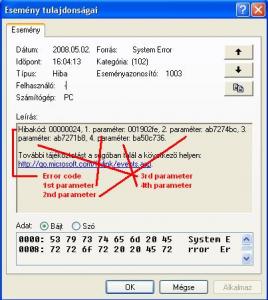
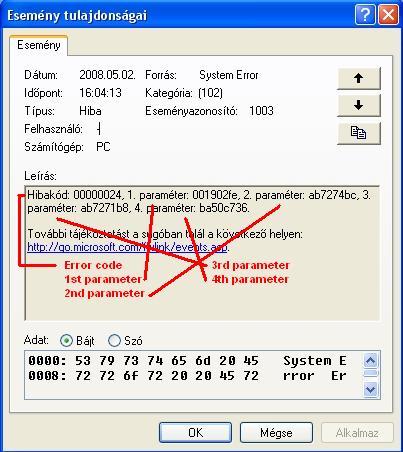
  2. Hi folks! I try to "vLite" my Vista Business (ENG) version for my eeepc but without success... On my desktop PC is running: - XP SP2 (not nLite-d version, natively Hungarian, no MUI pack) - Nod32 Antivirus v3.x My XP keeps crashing when finished copying the files from the DVD to HDD, the version numbers seem to appear on the welcome screen of vLite, bur right before the pop-up screen for the selection of the version I need (Home, Basic, Business, etc..) the PC restarts. After rebooting XP says that the system has had a serious problem, etc.. in fact drwin apperas and suggests to send the crash-info to MS. Okay... In the event log there is an error with code 1003 (on the attachment is the whole screenshot). Now I've deactivated the Antivirus and automatic system restart on XP but these things don't help. Please give me any advice! Thanks in advance! P EDIT: If there is a topic for this issue, please link it! I've searched the forum but found no topics concerning this.

Account

Navigation

Search

Search

Configure browser push notifications

Chrome (Android)
  1. Tap the lock icon next to the address bar.
  2. Tap Permissions → Notifications.
  3. Adjust your preference.
Chrome (Desktop)
  1. Click the padlock icon in the address bar.
  2. Select Site settings.
  3. Find Notifications and adjust your preference.