Skip to content
View in the app

A better way to browse. Learn more.

MSFN

A full-screen app on your home screen with push notifications, badges and more.

To install this app on iOS and iPadOS
  1. Tap the Share icon in Safari
  2. Scroll the menu and tap Add to Home Screen.
  3. Tap Add in the top-right corner.
To install this app on Android
  1. Tap the 3-dot menu (⋮) in the top-right corner of the browser.
  2. Tap Add to Home screen or Install app.
  3. Confirm by tapping Install.

skinhead

Member
  • Joined

  • Last visited

  • Country

    Saudi Arabia
  1. Is it possible to burn WPI into separate cd and run it instead of incorporating into Xp setup
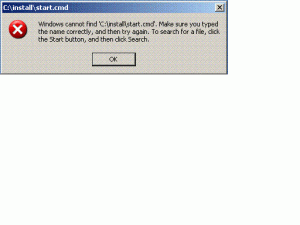
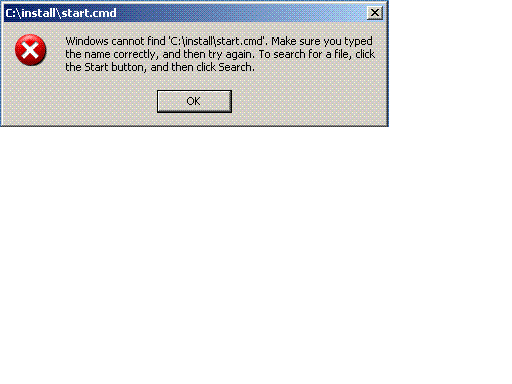
  2. Hello, I have this kind of problem and I cant figure out what seems to be the problem. I slipstreamed my unattended WinXP SP2 with Office 2003. I followed everything in the tutorial and did the exact thing but the applications didn’t work. XP installs perfectly and it reboots, but it does not startup the start.cmd that I made in GuiRunOnce. This is my code: [GuiRunOnce] %systemdrive%\install\start.cmd This is the path where I put my start.cmd in my XP c:\XPCD\$OEM$\$1\install\start.cmd Batch file of start.cmd ECHO. ECHO Installing Office 2003 ECHO Please wait... start /wait %systemdrive%\install\Applications\Office2003\PRO11.msi /QB This is the error that appears after windows restart. "Windows cannot find c:\install\start.cmd. Make sure you typed the name correctly, and then try again. To search for a file, click the Start button, and click search." All help is appreciated. Regards, Skinhead

Account

Navigation

Search

Search

Configure browser push notifications

Chrome (Android)
  1. Tap the lock icon next to the address bar.
  2. Tap Permissions → Notifications.
  3. Adjust your preference.
Chrome (Desktop)
  1. Click the padlock icon in the address bar.
  2. Select Site settings.
  3. Find Notifications and adjust your preference.