Skip to content
View in the app

A better way to browse. Learn more.

MSFN

A full-screen app on your home screen with push notifications, badges and more.

To install this app on iOS and iPadOS
  1. Tap the Share icon in Safari
  2. Scroll the menu and tap Add to Home Screen.
  3. Tap Add in the top-right corner.
To install this app on Android
  1. Tap the 3-dot menu (⋮) in the top-right corner of the browser.
  2. Tap Add to Home screen or Install app.
  3. Confirm by tapping Install.

BioFreak

Member
  • Joined

  • Last visited

  • Country

    South Africa
  1. Ok.... I re-did the image yesterday with all the drivers and all the patches included... NO tweaks... And it works now... Any idea which tweak could cause the error?
  2. Thanks for the responses guys. It shouldn't be the drivers. With only the drivers slipped in the image loads fine... I'll have a look at those patches, thanks!
  3. Here you go: Last_Session.ini
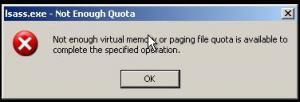
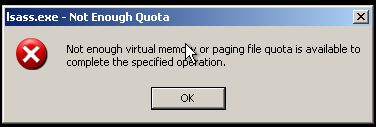
  4. Hi there guys. I am trying to create a slipstreamed Xp SP2 installation. The source CD is a Dell SP2 re installation CD. I want to integrate about 10 different model dell machines' drivers into the installation. I also am trying to add about 80 patches into the image. And then I have some tweaks that has been enabled. When loading Xp with the dvd it copies all the files. Then after the reboot I get this error: Can anyone tell me why?
Account

Navigation

Search

Search

Configure browser push notifications

Chrome (Android)
  1. Tap the lock icon next to the address bar.
  2. Tap Permissions → Notifications.
  3. Adjust your preference.
Chrome (Desktop)
  1. Click the padlock icon in the address bar.
  2. Select Site settings.
  3. Find Notifications and adjust your preference.