Everything posted by ylafont
-
I have added the ghost file to the ISO directory not the WIM file. it is easier to maintain that way. I don't think this is hardware compatibility like the problem Tripredacus was having. If a place a small ghost file, lets say 2 gigs, the problem is not experienced. I will try movin the ghost images to the WIM file, to see if that resolves the problem, however, it may be something esle. OSCDIMG may be currupting the image since you have to overide the -m parameter. but that is just a guess.
-
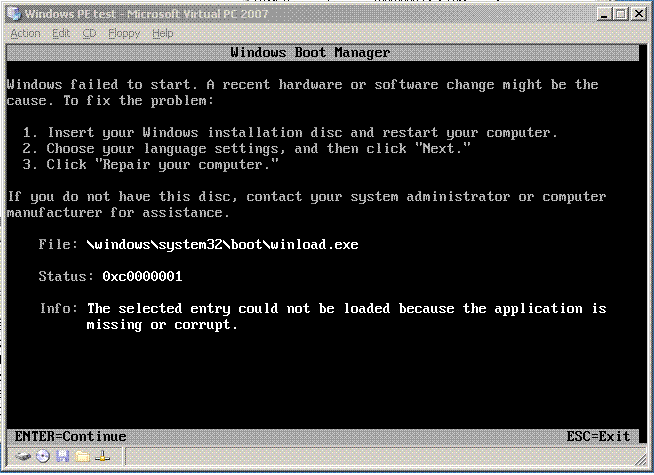
Yeap, the screenshopt is a Virtual PC Images, which give me the sames result as the Burned DVD on a dell 755 with 4 gig memory.
-
I have create a windows PE boot cd which work as intended for ghosting pc. However when I add a 6 gig ghost file to the cd, the cd boots up in "Windows Boot Manager" mode. And complains that C:\windows\systems32\boot\winlooad.exe in missing or corrupt. please let me know if anyone has input.