Cronos XP
Content Type
Profiles
Forums
Events
Everything posted by Cronos XP
-
Thanks for the link. I'll try this in the VM in a couple of days. Hope it works with Office03.
-
Symantec AntiVirus Corporate Edition 10.0.0.359
Cronos XP replied to contender's topic in Application Installs
Vmware here, as well. No such scan with 9 or 10 and I don't even use the RUNSCAN=0. Security Center is disabled, btw. -
Try these reg tweaks: ;Disable Security center [HKEY_LOCAL_MACHINE\SOFTWARE\Microsoft\Security Center] "FirstRunDisabled"=dword:00000001 "AntiVirusDisableNotify"=dword:00000001 "FirewallDisableNotify"=dword:00000001 "UpdatesDisableNotify"=dword:00000001 "AntiVirusOverride"=dword:00000001 "FirewallOverride"=dword:00000001 "UpdatesDisableNotify"=dword:00000001 ;Security Center [HKEY_LOCAL_MACHINE\SYSTEM\CurrentControlSet\Services\wscsvc] "Start"=dword:00000004
-
Thank you! That finally worked, although after a few clicks, as the link returned an error for like 15 minutes and the search on the site for the theme also returned 0 results. Still waiting for a solution to that Office problem, pls.
-
The theme is not available anymore on Microsoft's site. @DigeratiPrime I'm using Xpize to install the theme, but the renaming of royale.msstyles fails to revive the blue in Office2003. Any solutions?
-
/QN Reboot=Supress This is the switch to use with the sygate.msi. First register using Gagorian's method and afterwards run the install.
-
Symantec AntiVirus Corporate Edition 10.0.0.359
Cronos XP replied to contender's topic in Application Installs
Already tested it in VM. Works with the old silent install switches: %systemdrive%\install\Symantec\sav10.msi /qb RUNLIVEUPDATE=0 REBOOT=REALLYSUPPRESS. -
Welcome, then! Your target is the I386 folder in your installation CD. Find it and the winnt.sif file is in it. Once found, edit it with notepad and search for [GuiRunOnce], which should be among the last sections.
-
;Remove [-HKEY_USERS\.DEFAULT\Control Panel\PowerCfg\3] [-HKEY_USERS\.DEFAULT\Control Panel\PowerCfg\4] [-HKEY_USERS\.DEFAULT\Control Panel\PowerCfg\5] As for the value I believe it should be as follows: "Policies"=hex(2):01,00,... and so on, writing the values by raw.
-
@Powerhouse Had same problem just the other day when I finally made up my mind to install a clean XP SP2. SAV9 wouldn't start Vptray via "Program Files\Symantec Antivirus", but it kept on openning the folder "Program Files\Symantec". I chose to remove the entry from "HKLM\Software\Microsoft\Windows\CurrentVersion\Run" pointing at Vptray and put it in the simple Startup Folder. That fixed the folder appearence and the Vptray loading for the moment. But I've also noticed what oddbasket was talking about. The registry entry has a fault. It is exactly like this: C:\PROGRA~1\Symantec AntiVirus\VPTray.exe. No quotes, although it should have because of the folder name: "Symantec Antivirus". Fixing it did the trick in a elegant manner.
-
Completed XP Setup Screens
Cronos XP replied to Aaron's topic in Setup Billboard Screens for Windows
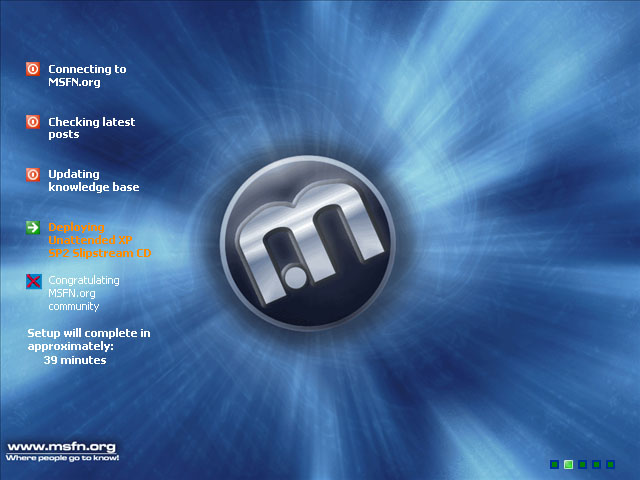
My first creation and a very simple one, intended to pay somewhat a tribute to this community. I'm still in the process of thinking whether to add some other visual effects or texts or not, but I'd like to receive a small feedback first before doing that. If you want the file, one request is enough in order to upload it in the yahoo group.
-
Not sure this has been mentioned before, as the search nor my reg files show it: ;Sets Write Debugging Information in Startup and Recovery ;0 for none - 1 for Complete Memory Dump - 2 for Kernel Dump - 3 for Small Memory Dump (64K) [HKEY_LOCAL_MACHINE\SYSTEM\CurrentControlSet\Control\CrashControl] "CrashDumpEnabled"=dword:00000001
-
Could you please post the reason for the Windows Time Service? I didn't get the chance to test my slipstreamed SP2 CD, but that service is already set Disabled.
-
You mean the first tweak didn't work for you? Well it did just fine on my WinXP SP1. Testing might be needed on different OSs before stating the tweak as a general one, or make a note on what OS it really does the job.
-
XtremeMaC, my point in that post was that I had found the tweak for enabling Quick Launch, but not the one for Auto Arrange. It's my English that was bad? Should I have written "I got nothing for Auto Arrange"?
-
;Enable Quick Launch [HKEY_CURRENT_USER\SOFTWARE\Microsoft\Windows\CurrentVersion\Explorer\Streams\Desktop] "TaskbarWinXP"=hex:0c,00,00,00,08,00,00,00,02,00,00,00,00,00,00,00,b0,e2,2b,\ d8,64,57,d0,11,a9,6e,00,c0,4f,d7,05,a2,22,00,1c,00,0a,01,00,00,1a,00,00,00,\ 01,00,00,00,00,00,00,00,00,00,00,00,00,00,00,00,4c,00,00,00,01,14,02,00,00,\ 00,00,00,c0,00,00,00,00,00,00,46,83,00,00,00,10,00,00,00,a0,b0,48,5e,89,8d,\ bd,01,00,d8,9e,e4,2a,8d,bd,01,00,45,fe,5e,89,8d,bd,01,00,00,00,00,00,00,00,\ 00,01,00,00,00,00,00,00,00,00,00,00,00,00,00,00,00,13,01,14,00,1f,0f,e0,4f,\ d0,20,ea,3a,69,10,a2,d8,08,00,2b,30,30,9d,19,00,23,44,3a,5c,00,00,00,00,00,\ 00,00,00,00,00,00,00,00,00,00,00,00,cd,97,15,00,31,00,00,00,00,00,af,24,5c,\ b9,10,80,57,69,6e,6e,74,00,00,20,00,31,00,00,00,00,00,af,24,a3,b9,10,00,50,\ 72,6f,66,69,6c,65,73,00,50,52,4f,46,49,4c,45,53,00,19,00,31,00,00,00,00,00,\ c1,24,08,92,10,00,69,65,35,30,30,2e,30,30,30,00,00,28,00,31,00,00,00,00,00,\ c1,24,08,92,10,00,41,70,70,6c,69,63,61,74,69,6f,6e,20,44,61,74,61,00,41,50,\ 50,4c,49,43,7e,31,00,21,00,31,00,00,00,00,00,c5,22,9d,91,10,00,4d,69,63,72,\ 6f,73,6f,66,74,00,4d,49,43,52,4f,53,7e,31,00,29,00,31,00,00,00,00,00,d3,22,\ 32,a6,10,00,49,6e,74,65,72,6e,65,74,20,45,78,70,6c,6f,72,65,72,00,49,4e,54,\ 45,52,4e,7e,31,00,24,00,31,00,00,00,00,00,db,22,76,ba,10,00,51,75,69,63,6b,\ 20,4c,61,75,6e,63,68,00,51,55,49,43,4b,4c,7e,31,00,00,00,8d,00,00,00,1c,00,\ 00,00,01,00,00,00,1c,00,00,00,36,00,00,00,0d,f0,ad,ba,8c,00,00,00,1a,00,00,\ 00,03,00,00,00,e7,18,2d,23,10,00,00,00,49,45,35,30,30,5f,58,31,43,00,43,3a,\ 5c,57,49,4e,4e,54,5c,50,72,6f,66,69,6c,65,73,5c,49,45,35,30,30,2e,30,30,30,\ 5c,41,70,70,6c,69,63,61,74,69,6f,6e,20,44,61,74,61,5c,4d,69,63,72,6f,73,6f,\ 66,74,5c,49,6e,74,65,72,6e,65,74,20,45,78,70,6c,6f,72,65,72,5c,51,75,69,63,\ 6b,20,4c,61,75,6e,63,68,00,00,10,00,00,00,05,00,00,a0,1a,00,00,00,a3,00,00,\ 00,00,00,00,00,08,00,00,00,02,00,00,00,cc,00,00,00,01,00,00,00,03,00,00,00,\ 4a,00,00,00,01,00,00,00,40,00,32,00,e6,01,00,00,c4,24,15,9f,20,00,4c,61,75,\ 6e,63,68,20,49,6e,74,65,72,6e,65,74,20,45,78,70,6c,6f,72,65,72,20,42,72,6f,\ 77,73,65,72,2e,6c,6e,6b,00,4c,41,55,4e,43,48,7e,32,2e,4c,4e,4b,00,00,00,40,\ 00,00,00,02,00,00,00,36,00,32,00,48,02,00,00,c4,24,15,9f,20,00,4c,61,75,6e,\ 63,68,20,4f,75,74,6c,6f,6f,6b,20,45,78,70,72,65,73,73,2e,6c,6e,6b,00,4c,41,\ 55,4e,43,48,7e,31,2e,4c,4e,4b,00,00,00,36,00,00,00,00,00,00,00,2c,00,32,00,\ 51,00,00,00,ec,22,46,39,20,00,53,68,6f,77,20,44,65,73,6b,74,6f,70,2e,73,63,\ 66,00,53,48,4f,57,44,45,7e,31,2e,53,43,46,00,00,00,52,00,00,00,e0,00,00,00,\ 00,00,00,00,16,00,00,00,00,00,00,00,00,00,00,00,16,00,00,00,00,00,00,00,01,\ 00,00,00,01,00,00,00,aa,4f,28,68,48,6a,d0,11,8c,78,00,c0,4f,d9,18,b4,37,02,\ 00,00,e0,00,00,00,00,00,00,00,16,00,00,00,00,00,00,00,00,00,00,00,16,00,00,\ 00,00,00,00,00,01,00,00,00 For Auto Arrange I got nothing.
-
Netlimiter shoul do the job. Displays the upload and download speeds by IP, with the possibility to set them from 1KB/s to 20.480KB/s, or to let them touch the sky. You can also add rules for each application accessing the network or the internet.
-
Please advise for my winnt.sif
Cronos XP replied to coucou's topic in Unattended Windows 2000/XP/2003
Shouldn't that ProductID be ProductKey instead and the value without the quotes? That might be your problem. Solution: The OEMPnPDriversPath seems to have a fault. Delete that \ in red.And to be sure that works, add this just before the OemPnPDriversPath: And one more thing! You should also point out the SubDirs, if any, not only the Dirs, in the OemPnPDriversPath. All the rest looks just fine to me. -
How to register OPERA 7 in unattended setup
Cronos XP replied to Loras's topic in Unattended Windows 2000/XP/2003
For registering during the unettended setup you have to create a Dir as follows: $OEM$\$Progs\Opera7 where you have to copy the OUsr600.dat file that contains your registration. You can find that file in the installation directory of Opera7. And just another small tip: if you use a certain skin, add a subfolder to that I already gave you called \Skin, the way it appears in Program Files\Opera7\Skin, and copy there the skin you're using. -
Cool! Bucuresti! See ya around!
-
I must try this one! Thanks lauredd! Ro?
-
This is how it works for me: 1) Copy the *.sys file in the I386 folder, although using this in command prompt would be much better: MAKECAB E:\XPCD\$OEM$\$1\005rdata\ultra.SYS E:\XPCD\i386\ultra.SY_ All you have to do here is to modify the paths and the SYS file name eventually. I have Ultra.SYS because I'm using the ATA function of the Promise 20276 Controller. 2) Next lookup for txsetup.sif where you look into the [sourceDisksFiles] and add ultra.sys = 1,,,,,,_x,4,1. Always remember to modify that ultra name. 3) Look into the *.inf file of your drivers and locate the IDs of your component. Looks like PCI\VEN_105A&DEV_5275.DeviceDesc="WinXP Promise MBUltra133 (PDC20276) IDE Controller, but yours is once again somewhat different. Add this line into your txtsetup.sif in section [HardwareIdsDatabase] as follows: PCI\VEN_105A&DEV_5275.DeviceDesc="WinXP Promise MBUltra133 (PDC20276) (tm) IDE Controller = "ultra" 4) In that same txtsetup.sif, add under [sCSI.Load] the line ultra = ultra.sys,4 and under [sCSI] the line: ultra = "WinXP Promise MBUltra133 (PDC20276) (tm) IDE Controller"Always remember to change those lines with the ones in your *.INF file. 5) And last modify your OemPnPDriversPath in winnt.sif. I hope there's nothing else left.
-
That's a really useful tweak, XtremeMaC, but the problem is the Office version you're installing. That tweak would definitely not work for me as I'm using Office XP, which is version 10 of Office. So I'm guessing you're installing Office 2003? You have to first find out what Office you're installing and modify that key accordingly. For example, for Office XP it shoul look like this: [HKEY_CURRENT_USER\Software\Microsoft\Office\10.0\Outlook] "ForcePSTPath"="d:\\Documents\\Mail\\"
-
;Enable Quick Launch [HKEY_CURRENT_USER\SOFTWARE\Microsoft\Windows\CurrentVersion\Explorer\Streams\Desktop] "TaskbarWinXP"=hex:0c,00,00,00,08,00,00,00,02,00,00,00,00,00,00,00,b0,e2,2b,\ d8,64,57,d0,11,a9,6e,00,c0,4f,d7,05,a2,22,00,1c,00,0a,01,00,00,1a,00,00,00,\ 01,00,00,00,00,00,00,00,00,00,00,00,00,00,00,00,4c,00,00,00,01,14,02,00,00,\ 00,00,00,c0,00,00,00,00,00,00,46,83,00,00,00,10,00,00,00,a0,b0,48,5e,89,8d,\ bd,01,00,d8,9e,e4,2a,8d,bd,01,00,45,fe,5e,89,8d,bd,01,00,00,00,00,00,00,00,\ 00,01,00,00,00,00,00,00,00,00,00,00,00,00,00,00,00,13,01,14,00,1f,0f,e0,4f,\ d0,20,ea,3a,69,10,a2,d8,08,00,2b,30,30,9d,19,00,23,44,3a,5c,00,00,00,00,00,\ 00,00,00,00,00,00,00,00,00,00,00,00,cd,97,15,00,31,00,00,00,00,00,af,24,5c,\ b9,10,80,57,69,6e,6e,74,00,00,20,00,31,00,00,00,00,00,af,24,a3,b9,10,00,50,\ 72,6f,66,69,6c,65,73,00,50,52,4f,46,49,4c,45,53,00,19,00,31,00,00,00,00,00,\ c1,24,08,92,10,00,69,65,35,30,30,2e,30,30,30,00,00,28,00,31,00,00,00,00,00,\ c1,24,08,92,10,00,41,70,70,6c,69,63,61,74,69,6f,6e,20,44,61,74,61,00,41,50,\ 50,4c,49,43,7e,31,00,21,00,31,00,00,00,00,00,c5,22,9d,91,10,00,4d,69,63,72,\ 6f,73,6f,66,74,00,4d,49,43,52,4f,53,7e,31,00,29,00,31,00,00,00,00,00,d3,22,\ 32,a6,10,00,49,6e,74,65,72,6e,65,74,20,45,78,70,6c,6f,72,65,72,00,49,4e,54,\ 45,52,4e,7e,31,00,24,00,31,00,00,00,00,00,db,22,76,ba,10,00,51,75,69,63,6b,\ 20,4c,61,75,6e,63,68,00,51,55,49,43,4b,4c,7e,31,00,00,00,8d,00,00,00,1c,00,\ 00,00,01,00,00,00,1c,00,00,00,36,00,00,00,0d,f0,ad,ba,8c,00,00,00,1a,00,00,\ 00,03,00,00,00,e7,18,2d,23,10,00,00,00,49,45,35,30,30,5f,58,31,43,00,43,3a,\ 5c,57,49,4e,4e,54,5c,50,72,6f,66,69,6c,65,73,5c,49,45,35,30,30,2e,30,30,30,\ 5c,41,70,70,6c,69,63,61,74,69,6f,6e,20,44,61,74,61,5c,4d,69,63,72,6f,73,6f,\ 66,74,5c,49,6e,74,65,72,6e,65,74,20,45,78,70,6c,6f,72,65,72,5c,51,75,69,63,\ 6b,20,4c,61,75,6e,63,68,00,00,10,00,00,00,05,00,00,a0,1a,00,00,00,a3,00,00,\ 00,00,00,00,00,08,00,00,00,02,00,00,00,cc,00,00,00,01,00,00,00,03,00,00,00,\ 4a,00,00,00,01,00,00,00,40,00,32,00,e6,01,00,00,c4,24,15,9f,20,00,4c,61,75,\ 6e,63,68,20,49,6e,74,65,72,6e,65,74,20,45,78,70,6c,6f,72,65,72,20,42,72,6f,\ 77,73,65,72,2e,6c,6e,6b,00,4c,41,55,4e,43,48,7e,32,2e,4c,4e,4b,00,00,00,40,\ 00,00,00,02,00,00,00,36,00,32,00,48,02,00,00,c4,24,15,9f,20,00,4c,61,75,6e,\ 63,68,20,4f,75,74,6c,6f,6f,6b,20,45,78,70,72,65,73,73,2e,6c,6e,6b,00,4c,41,\ 55,4e,43,48,7e,31,2e,4c,4e,4b,00,00,00,36,00,00,00,00,00,00,00,2c,00,32,00,\ 51,00,00,00,ec,22,46,39,20,00,53,68,6f,77,20,44,65,73,6b,74,6f,70,2e,73,63,\ 66,00,53,48,4f,57,44,45,7e,31,2e,53,43,46,00,00,00,52,00,00,00,e0,00,00,00,\ 00,00,00,00,16,00,00,00,00,00,00,00,00,00,00,00,16,00,00,00,00,00,00,00,01,\ 00,00,00,01,00,00,00,aa,4f,28,68,48,6a,d0,11,8c,78,00,c0,4f,d9,18,b4,37,02,\ 00,00,e0,00,00,00,00,00,00,00,16,00,00,00,00,00,00,00,00,00,00,00,16,00,00,\ 00,00,00,00,00,01,00,00,00 That should do it.