



Skip to content
View in the app

A better way to browse. Learn more.

MSFN

A full-screen app on your home screen with push notifications, badges and more.

To install this app on iOS and iPadOS
  1. Tap the Share icon in Safari
  2. Scroll the menu and tap Add to Home Screen.
  3. Tap Add in the top-right corner.
To install this app on Android
  1. Tap the 3-dot menu (⋮) in the top-right corner of the browser.
  2. Tap Add to Home screen or Install app.
  3. Confirm by tapping Install.

templar414

Member
  • Joined

  • Last visited

  • Country

    Croatia
  1. Hulkviper and Radix, thank you for the answers... However, I do have one more question. When I disable WFP, won't that allow any other program to simply replace default Windows DLLs with its own? In truth, I fear that this will somehow mess up my Windows. Can you explain me what happens when WFP is disabled?
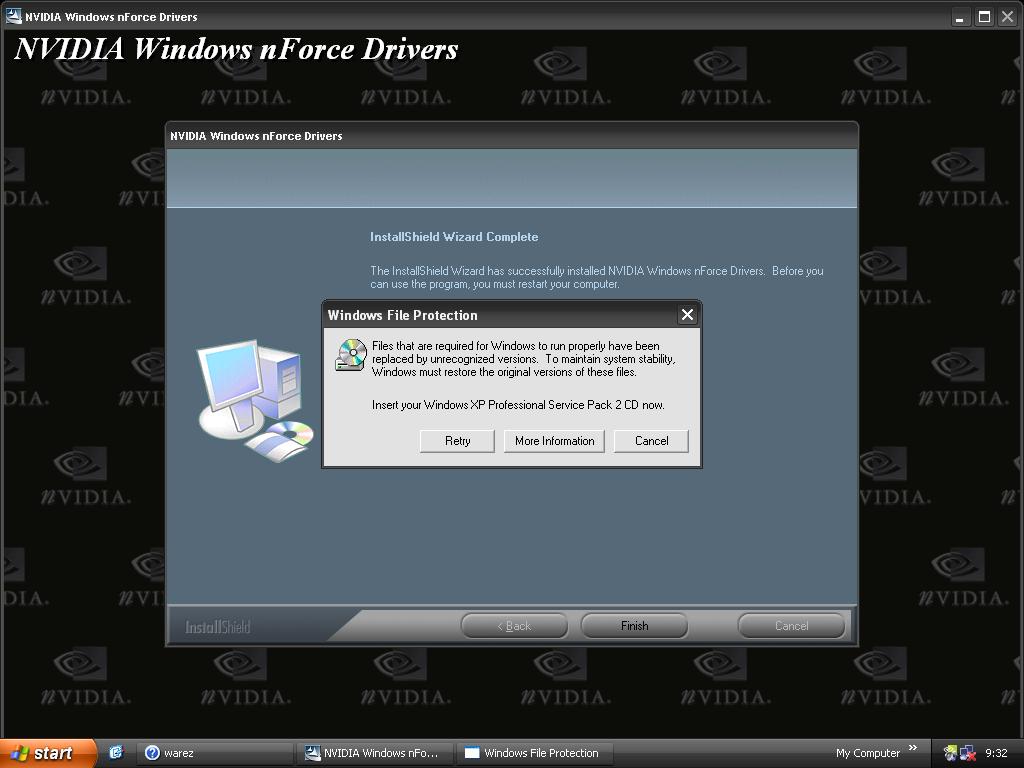
  2. why do I get this error? I nLited WinXp pro but I removed only really stupid things like messenger and languages... Also, I added RVM update pack 2.1.8 and few addons... And this message continues to show up... What should I do to remove this annoying message?
Account

Navigation

Configure browser push notifications

Chrome (Android)
  1. Tap the lock icon next to the address bar.
  2. Tap Permissions → Notifications.
  3. Adjust your preference.
Chrome (Desktop)
  1. Click the padlock icon in the address bar.
  2. Select Site settings.
  3. Find Notifications and adjust your preference.