Skip to content
View in the app

A better way to browse. Learn more.

MSFN

A full-screen app on your home screen with push notifications, badges and more.

To install this app on iOS and iPadOS
  1. Tap the Share icon in Safari
  2. Scroll the menu and tap Add to Home Screen.
  3. Tap Add in the top-right corner.
To install this app on Android
  1. Tap the 3-dot menu (⋮) in the top-right corner of the browser.
  2. Tap Add to Home screen or Install app.
  3. Confirm by tapping Install.

yorkie16

Member
  • Joined

  • Last visited

  • Country

    United Kingdom

Everything posted by yorkie16

  1. Here are the 4 files I have snipped, see if you can help picking the bones out of them, cheers It will only let me load under 200k, so if you want to PM me I will email the others, many thanks Mark
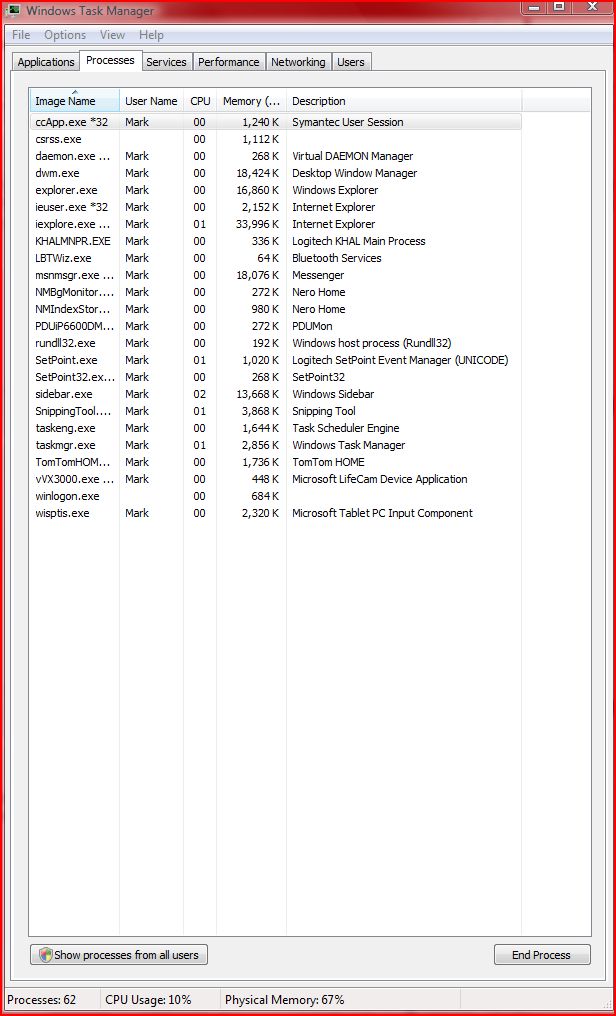
  2. I am in Task Manager, but I cannot seem to be able to do a snapshot using my print screen button? Also what do you mean regarding the Memory - Working Set and the Memory - Private Set? Thanks for this help
  3. This has maybe been asked before, sorry if it has. My system is a Asus P5W DH Deluxe Mobo Intel Core2 Duo 6400 Processor 2 x 512mb DDR2 6400 Memory Gainward 6800 256Mb PCi Express Graphics Running Vista Ultimate My main problem is my memory always runs above 68%, sometimes up to 92%, thus stopping me running certain programs. I have just put in a 2Gb USB pen, but this has made matters worse, so before I pull my hair out can someone please tell me if I am doing something wrong? Maybe I have missed something, or just have my settings wrong, or maybe Microsoft have got into bed with the main memory manufacturers ?!? Any help would be great, many thanks Yorkie


Account

Navigation

Configure browser push notifications

Chrome (Android)
  1. Tap the lock icon next to the address bar.
  2. Tap Permissions → Notifications.
  3. Adjust your preference.
Chrome (Desktop)
  1. Click the padlock icon in the address bar.
  2. Select Site settings.
  3. Find Notifications and adjust your preference.