



Skip to content
View in the app

A better way to browse. Learn more.

MSFN

A full-screen app on your home screen with push notifications, badges and more.

To install this app on iOS and iPadOS
  1. Tap the Share icon in Safari
  2. Scroll the menu and tap Add to Home Screen.
  3. Tap Add in the top-right corner.
To install this app on Android
  1. Tap the 3-dot menu (⋮) in the top-right corner of the browser.
  2. Tap Add to Home screen or Install app.
  3. Confirm by tapping Install.

dnbgroove

Member
  • Joined

  • Last visited

  • Country

    United Kingdom
  1. Hi MDGx I was playing a local wav file. I don't use Media player for online (much if ever) Your 98SEMP10 automated install was applied some time ago and I was reporting this as it was the first time I'd seen this problem having installed this unofficial 891711 patch Any ideas ?
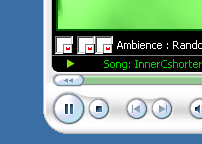
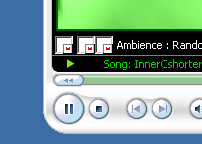
  2. Hi - Just to report that (with Gape's 2.0.2 SP and MDGx's 98SE-MP10) I found missing button images for Media Player, as per the attached. Restarting the app resolved the problem
Account

Navigation

Configure browser push notifications

Chrome (Android)
  1. Tap the lock icon next to the address bar.
  2. Tap Permissions → Notifications.
  3. Adjust your preference.
Chrome (Desktop)
  1. Click the padlock icon in the address bar.
  2. Select Site settings.
  3. Find Notifications and adjust your preference.