rcll
Content Type
Profiles
Forums
Events
Everything posted by rcll
-
Windows7 C: partition shows as RAW in diskpart?
rcll replied to rcll's topic in Hard Drive and Removable Media
Thanks Jaclaz. I talked to their support and you are right. They said that the emergency disk is special for the machine and has a copy of the mbr and partition table and it just overwrites the old one. They said if it was from the wrong machine it would give an error. They have a Mcafee program to decrypt the disk, but when I try to decrypt it won't recognize the disk as encrypted, but we know it is encrypted. They think its something about the encryption headers being corrupted and they cant do more on the phone. Do you think the encryption headers can be fixed with a disk editor? I have the keyfiles and password, maybe I can encrypt the whole disk again and it will write the same headers? Then it will recognize as encrypted and decrypt it? -
Windows7 C: partition shows as RAW in diskpart?
rcll replied to rcll's topic in Hard Drive and Removable Media
After the emergency disk wrote its repair I did another testdisk analyze, deep analyze and rebuildbs. Also dmde scan but it looks very similar to before emergency disk. Should i try chkdsk or some other tool for corruption? Is there anything that can be done with disk editor? testdisk.log.txt
-
Windows7 C: partition shows as RAW in diskpart?
rcll replied to rcll's topic in Hard Drive and Removable Media
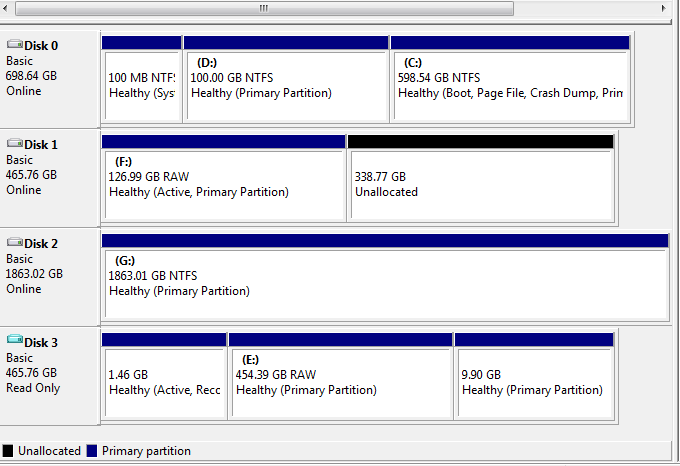
You're right of course Jaclaz. I found finally the encryption is Mcafee. I have password now and was able to use 'Mcafee emergency disk' to write the bootsector. Now there is encryption password prompt when booting up like it used to be, I enter password and it accepts it, but then it says 'cant load OS'. Do you think there is a way to restore the HDD so the encryption software can recognize it as encrypted? so it can then decrypt it? Here is how the HDD looks after Mcafee emergency disk repair: It is Disk 1 with 126GB partition and the rest unallocated, which is not correct. Compared to Disk 3 which is image file of same HDD before emergency disk repair, showing 3 partitions, but probably those are not right either. Usually system is 100MB not 1.46GB right? What do you think can be done to see some files of this disk?
-
Windows7 C: partition shows as RAW in diskpart?
rcll replied to rcll's topic in Hard Drive and Removable Media
Thanks Jaclaz. I am waiting to find out from him the name of the encryption now. The Kaspersky was a livecd but I think it downloaded updates automatically, its crazy that it writes these files to HDD not to ramdisk or something. Do you think it wrote Kaspersky files to the main RAW partition? or maybe only write over the [HDDRECOVERY] partition which has no important data? The Windows recovery attempts was also not smart before imaging -
Windows7 C: partition shows as RAW in diskpart?
rcll replied to rcll's topic in Hard Drive and Removable Media
I know you hate encryption and I don't use it either but this computer has it I thought it was simple bootsector problem from virus so I make the mistake of doing image after the Kaspersky livecd scan(why this write stuff to HDD?) He says now he doesn't think its bitlocker but he had to enter boot password before windows password, its some kind of disk encryption so I guess thats why C:\ is RAW. The system was already not asking for boot password when I got it, and just going straight to Windows startup repair with no solution, but the bootsect overwrite probably didn't help Is there any way to get again the original bootsector with the encryption password prompt so it can access the RAW C:\ once more? What do you think can be done now? -
Windows7 C: partition shows as RAW in diskpart?
rcll replied to rcll's topic in Hard Drive and Removable Media
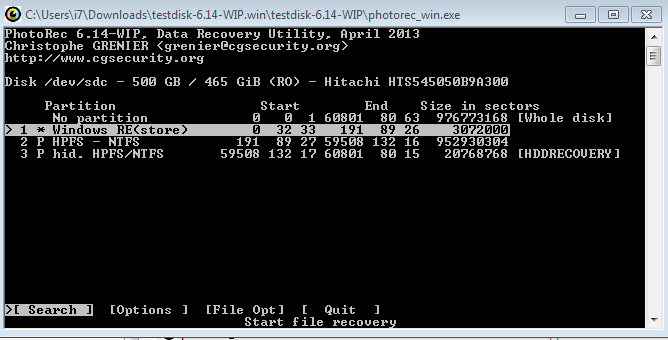
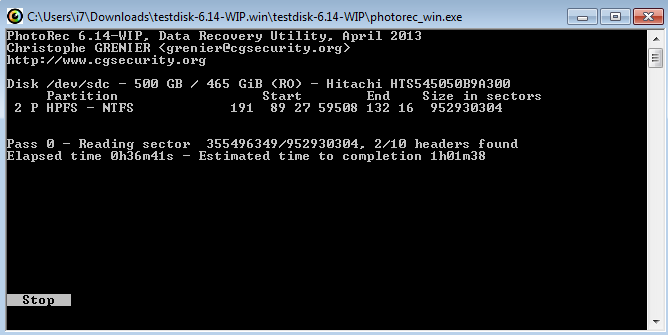
Hehe You can not be encrypted because you help people so clearly So I'm trying photorec like you said and this is what it shows. Its trying to find files now but I think you're right that its whole disk encrypted. I have password from the user now. Is there a way to fix HDD enough so laptop can boot to the login screen so I can put in the encryption password for this "RAW" windows partition? I am worried the Kaspersky rescuecd virus scan overwrites some files on HDD, I dont know why it did that. Also worried about the "bootsect.exe /nt60 all /force" overwrite and bootrec /fixmbr & /fixboot that I attempted
-
Windows7 C: partition shows as RAW in diskpart?
rcll replied to rcll's topic in Hard Drive and Removable Media
Oh all $MFT traces wiped out sounds bad for any files recovery I did try Kaspersky rescue disk but I thought it was just livecd for virus check, I didn't think it would write anything to HDD Do you think it already overwrites important parts of the disk? It is possible there was encryption I will try to find out from the user. Is there any way to recover from that with the password? -
Windows7 C: partition shows as RAW in diskpart?
rcll replied to rcll's topic in Hard Drive and Removable Media
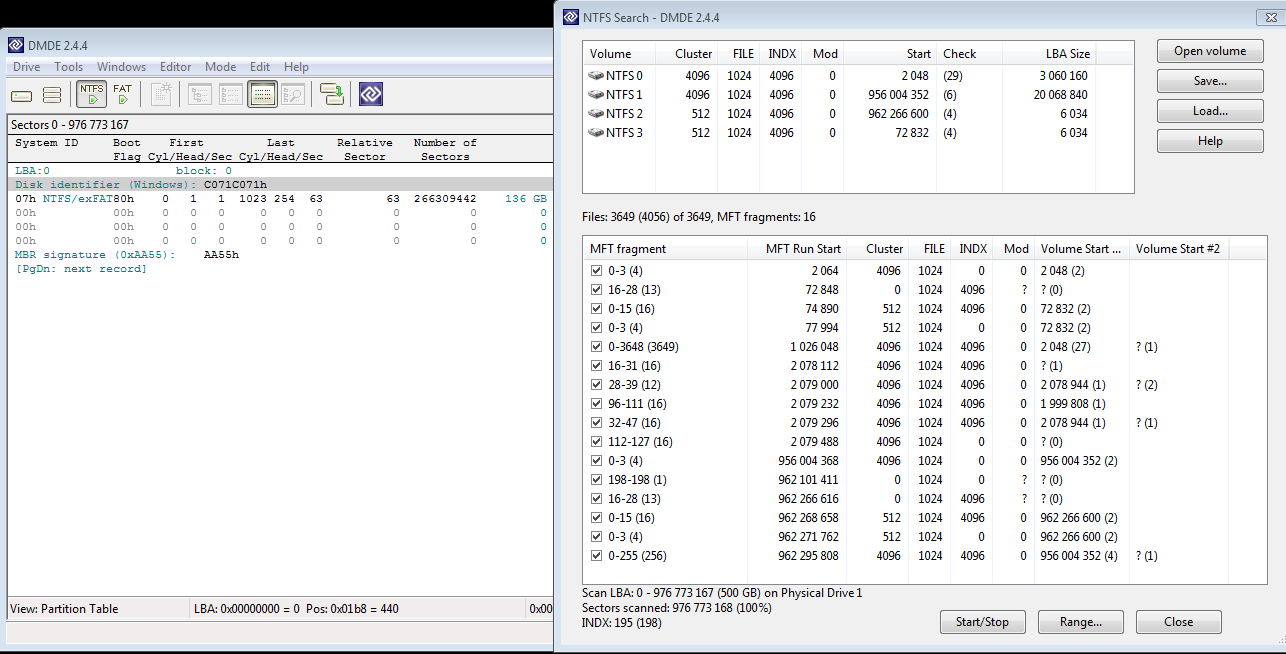
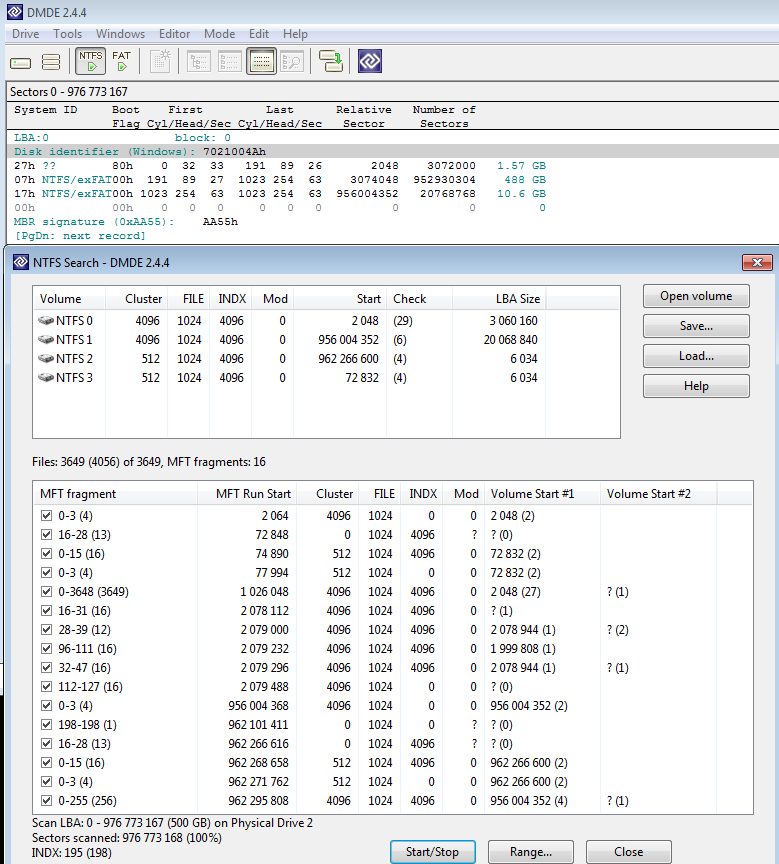
Hi Jaclaz. I think the disk was just two partitions or maybe three, the C:\ was like 450GB and the D:\ was the [HDDRECOVERY] of like 10-15GB. Its possible there was also 1.4GB WinRE parition. Is that the [system]? I don't think that one was visible inside windows but I guess it was always there. Its laptop that came already with Windows 7 on it but I'm not sure how they made the partitions at the factory, I think probably in Windows 7 not in Vista but I'm not sure. I tried to do NTFS scan in DMDE but I think it finds a mess
-
Windows7 C: partition shows as RAW in diskpart?
rcll replied to rcll's topic in Hard Drive and Removable Media
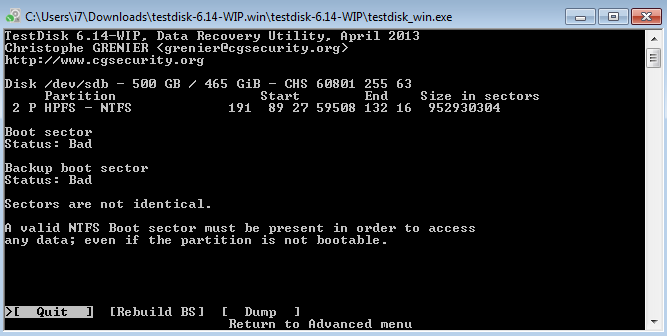
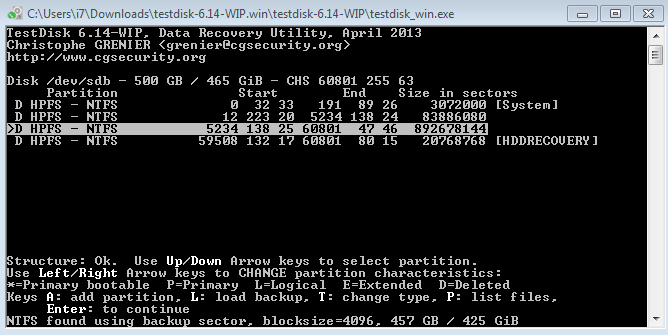
Thanks. I just ran testdisk without writing. Unfortunately it doesn't look like an easy fix. I did the regular analyze and then deeper analyze and tried to list files with "P" but it says filesystem is damaged, I also tried rebuild bootsector. I hope I didn't make it worse by writing the bootsect.exe operation earlier. Here is the log and what testdisk shows. I hope there is still a way to fix. testdisk.log.txt
-
Hi, I was wondering if anyone knew how to fix this issue? I have a Windows7 Home Premium Toshiba laptop that all of a sudden won't boot into Windows. The HDD has passed SMART test so it seems ok physically. On bootup it goes straight into automatic windows recovery, spends 5 minutes at the progress bar then says it can't be fixed automatically. In the log it says "Boot sector for system disk partition is corrupt" I put in the Windows7 dvd and go into repair mode, it prompts for the partition, but shows the C: drive as 0 MB. In command prompt I do "bootrec /scanos", it finds no operating system. I tried "bootsect.exe /nt60 all /force" to write a new bootsector from the Windows dvd, it completes successfully, I reboot, but same problem. "bootrec /fixmbr" and "bootrec /fixboot" also completes successfully but still the same problem. I try "attrib -h -s C:\boot\BCD" & "del C:\boot\BCD" & "bootrec.exe /rebuildbcd" as per http://neosmart.net/wiki/display/EBCD/Recovering+the+Windows+Bootloader+from+the+DVD but this fails, because I have no accessible C: drive. In diskpart it shows the C: partition as RAW. I have tried livecd of Minitool Partition Wizard and it scans the entire drive for about 2 hours, it says no partition it can recover. The D: drive (Toshiba's recovery partition) is still there and accessible. Can anyone advise what to do from here? I'm guessing all the files from C: partition are still there but there is an MFT problem? I would be very gratefu to get this partition back the way it was. Thanks for any help!