Dave-H
Content Type
Profiles
Forums
Events
Everything posted by Dave-H
-
 Glad to see that you had the same end result as me, with the file from Softpedia. I was going to try again with it myself, but I won't bother now as I know now that I will just end up with the same version 22! Although I didn't try installing without an internet connection, I too had noticed that despite the size of the 'offline' installer, it still actually downloaded the installation files, presumably the 22.03.05 ones! I suppose the next thing to try is using that 'offline' installer file on a Windows 10 installation, to see if it does the same thing. I'm speculating that maybe version 23 does not actually support Windows XP, so if the installer detects XP it installs version 22 instead. Just a thought.
 -
Well, that's puzzling, because that file is exactly the same as the one I used earlier on to install Panda Dome. I've checked its internal version.ini information, and it's exactly the same as you found. However, the version.ini in my installation contains this - [VERSION] VERSION=22.03.05.0000 LINE=4.0 TYPE=Release NINST=20250812_PandaZone BRANCH=PandaZone REV=1 BUILD_DATE=12/08/2025 17:26:32 CID=C9BE6BCA-FB59-4987-9875-D4087D53F0E6 [MODULES] INSTALLER=7.10.00.1004.b NNS=4.7.0.602 PSBOOT=1.0.34.0 RKPAVPROC=2.0.11.0 I can try installing using that file again, but I would wager good money that the end result would be exactly the same! The fact that the official download from Panda's website, albeit an online installer, produces the same result, I cannot explain either. Has anyone here actually managed to get an installation of version 23 installed?
-
Well I've just updated my Panda Dome to the supposedly latest version, and it seems to be working fine, with no detrimental effects on system startup or anything else so far, which is good. Fingers crossed! I was a bit surprised to find that it's version 22.03.5 though, I thought there was a version 23? I tried with the supposedly latest offline installer, and that gave version 22. I then uninstalled that and tried with the public online installer from Panda's website, and that gave version 22 as well. Is there actually a version 23, and if so, where? It all installed fine, and works fine, the only strange thing was that it wouldn't log in to my Panda account. I immediately thought about HTTPSProxy, so I set Panda Dome up with the proxy address and port, and it came good. Not unexpected of course, but the strange thing is that the first version I had installed, version 21, did not need me to do this, it logged in fine immediately with the default settings. I can't explain that, but it's working anyway.
-
I initially had assumed that the background images were downloaded so they could be changed all the time, but as I'm sure you're aware, they are actually stored locally, in my case in D:\Users\All Users\Application Data\Panda Security\Panda Security Protection\Res\4252\Images. Whether they are replaced by new downloaded images every now and again, I don't know.
-
Thanks for the Revo Uninstaller download link! Is the rolling news entry working at the bottom of your Panda Dome interface dashboard, or is it just the wallpaper that's missing?
-
Good thought, I suppose I could have installed it in February 2019, but I've no memory of that. The Revo installation file I have archived is from March 2023, so I guess that's when I would have last installed/updated it. Still OT of course, but do you happen to know what the last version is that will run on XP? My version is 2.4.4 and when I run it, it tells me there's a newer version, downloads it, and then says it won't run on my operating system when it tries to install it!
-
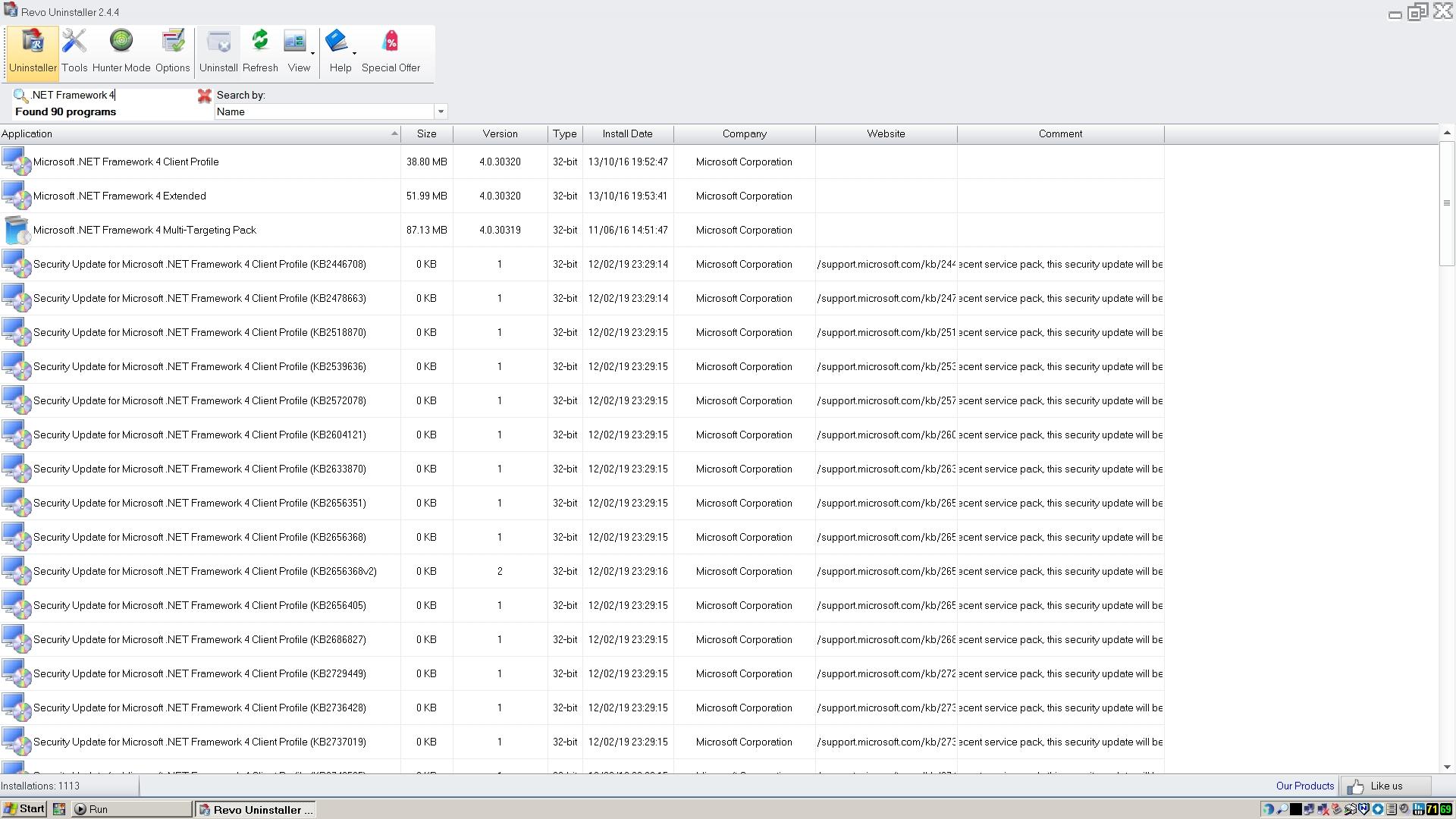
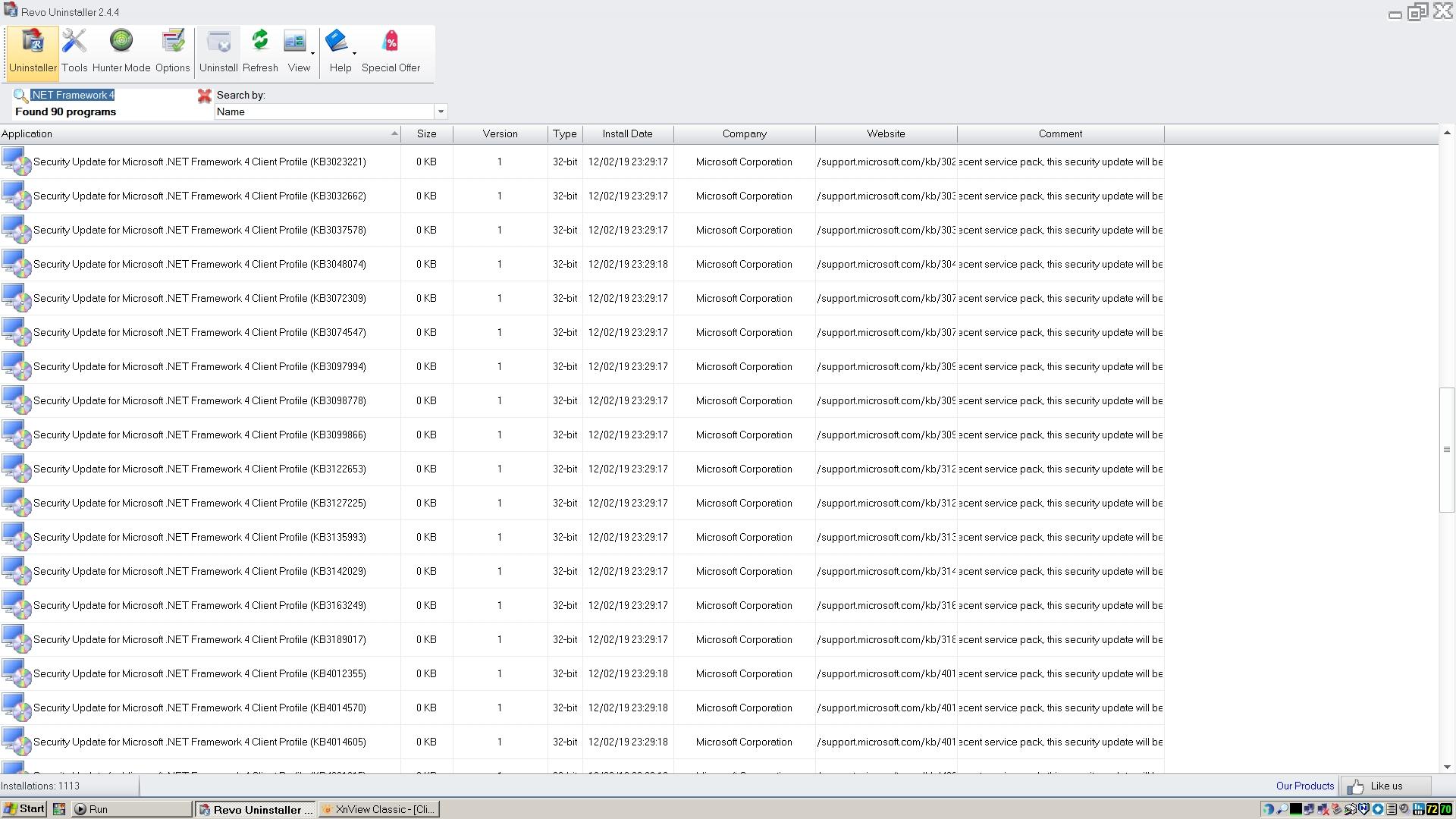
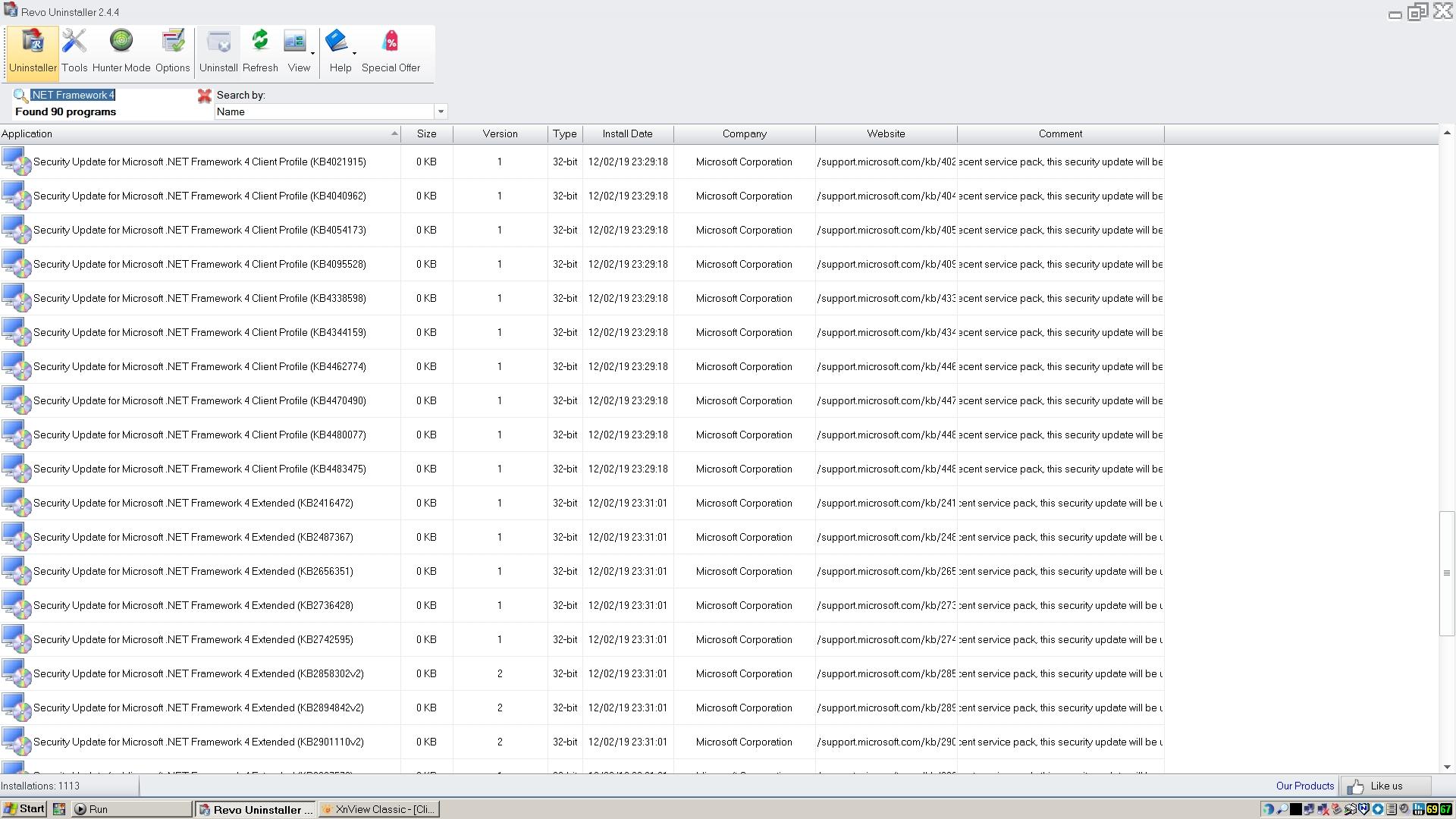
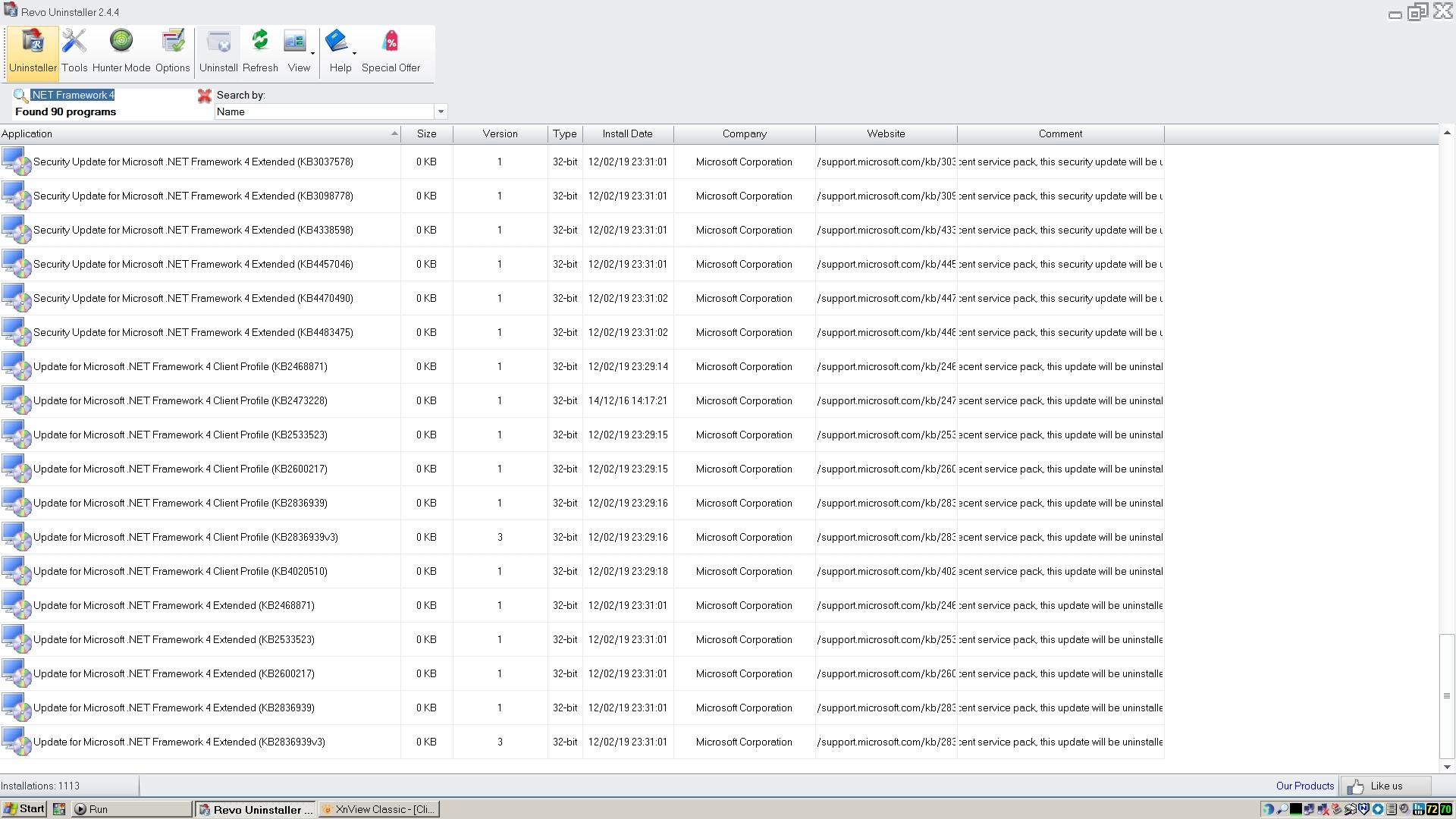
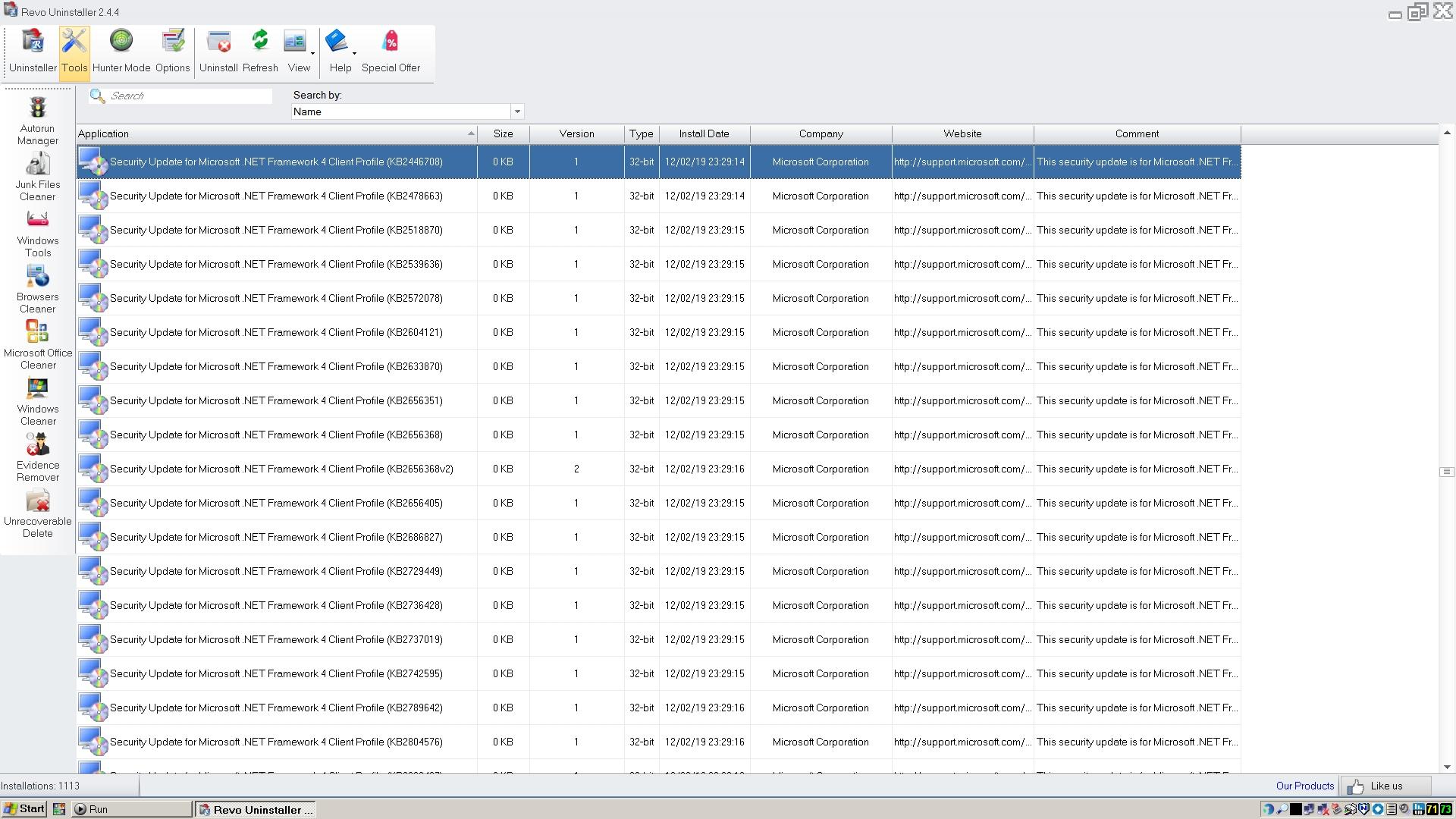
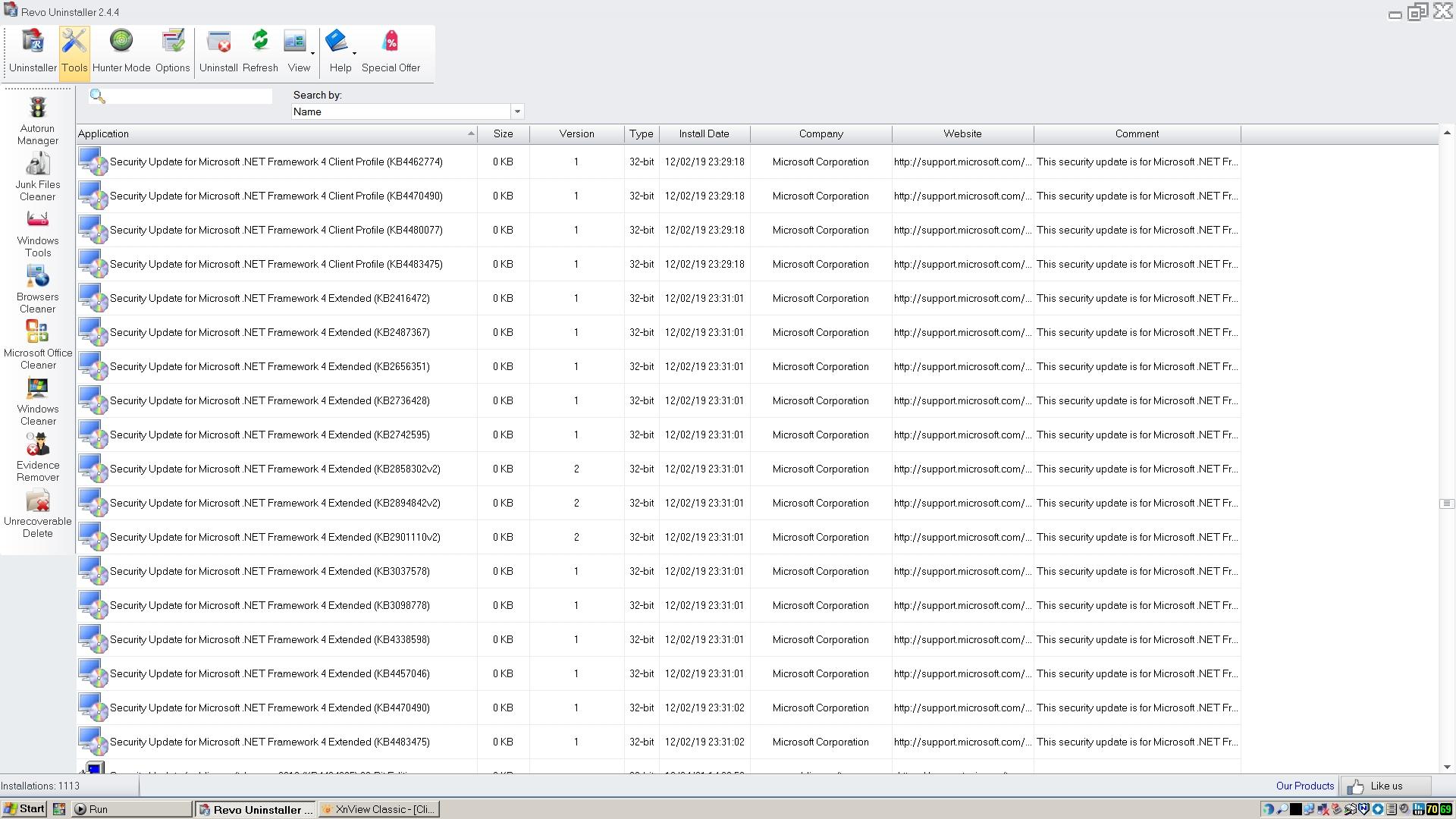
I don't remember doing any reinstallations or system repairs at that time. Anyway, here's the output from Revo Uninstaller using the search term you recommended. I hope that gives you what you need. Strange that as well as the updates apparently all having been installed on the same date, they all appear to be 0KB in size!

-
Well it's good to have that confirmed, but I'm afraid it makes RogueKiller useless to me.
-
Fair enough, as long as the conversation is kept directly relevant to the use of Panda Dome on XP, or indeed any other AV program. Sorry, I have now realised that the details of the .NET 4 updates on Revo Uninstaller are not with the actual installation records, as they are called 'Security Update for....' so appear in a different place in the list! Here they all are, enjoy! The last two images have duplicated entries. Why they all seem to have the same installation date i'm not sure, I don't remember doing an OS reinstallation in February 2019!
-
I don't have Revo Uninstaller Pro, only the free version, but will this do? Putting my moderator's hat on, I have to say that any prolonged discussion about POSReady updates, C++ Runtime versions, or .NET versions, would be of course off-topic for this thread. I know I've been guilty of posting off-topic remarks here myself recently, but if this is now likely to be a prolonged discussion, it needs to be in a new thread please. Cheers, Dave.
-
@AstroSkipper Thanks for the report. I'm using version 21 with no apparent impact on boot times, but I do have a quite powerful, although old, setup. I have found an offline installer which is supposedly for version 23, but if I run the installer it says it has to first uninstall the version I've already got, which I'm not keen on doing as it's working so well. A shame that it won't just update. Strangely, the version numbers of the 21 and 23 installation files seem to be identical in the file properties, although they are obviously not the same, the 23 version is quite a bit larger. There appears to be no mention of version numbers on the Panda site, which is unusual. I might ask their chatbot what the latest version actually is, and whether 21 should have updated itself.
-
Well I did install it using a file I downloaded some time ago! I will download it again and see what version the new file is. I would have thought it would have updated itself, but perhaps not.
-
I'm not sure what mode it's in, how can I tell? I certainly have it always running in the background, as my ancient e-mail client won't display images without it. It's version 21.01.00. The 'About' page says copyright 2021, I guess they never got round to updating it!
-
Well I certainly didn't have to do anything special, it just worked, but I guess it wouldn't have done without the proxy being there. I've now upgraded to Panda Dome Essential, and finally uninstalled Malwarebytes! I was almost sad to see it go, but as it hadn't been receiving any updates for more than a year, I guess it was time. All looking good so far.
-
Well I don't need a firewall or VPN either, but I would like to have website malware scanning, as Malwarebytes has always provided. I will try the Essentials version I think, it's not expensive. I do have ProxHTTPSProxy of course BTW, as you well know!
-
I'm actually very impressed so far with Panda Dome, despite my misgivings about it being an online scanner. I would only ever use it on my main desktop, which always has an internet connection, barring occasional outages, so I don't think it's really an issue that it doesn't scan locally. That being the case, I think I'm going to pay out for the 'Essential' version, the lowest paid tier, as that offers website monitoring (I think) and a firewall and VPN. Mind you, the usage allowance on the VPN is so miserly it's pretty useless as far as I can see! I was pleased to find that even the free version has a scheduled scan facility, BTW, I just hadn't found it in the settings!
-
I was surprised to find that I already had a Panda account, it must be from when I tried one of their programs years ago! FWIW, my new installation signed into it with no problem.
-
Getting back to Panda Dome, I was slightly disappointed to find that it's an online cloud scanner, not something with works locally. However, for something which is supposedly lightweight, it seems to have installed a lot of things on the machine! When I ran the installer, I was offered to tick an 'offline installation' option. This I did, thinking it would be a good idea. When I checked after installation, there seemed to be three new services added 'Panda Cloud Antivirus Service', 'Panda Devices Agent', and 'Panda Product Services'. So far, so good. What I then found though was that there were now no less than 19 (!) new .sys driver files in the System32\Drivers folder. All relating to Panda Dome. What they all do, I do not know. I'm now wondering if they are something to do with the 'offline installation' option, and they're something to do with keeping the protection working if the machine is offline. The other thing which disappointed me is that there seems to be no automatic scheduled scanning option, which I've always used on Malwarebytes. Perhaps it's in one of the paid versions, I will have to investigate.
-
Off-topic, but thanks. I have version 14.28.29213 at the moment, so this update is worth having!
-
Interesting. This is off-topic of course, but my .NET 4 is recorded as being version 4.0.30320 everywhere in the registry, although its files are still in a folder called 4.0.30319! I wonder what was actually updated to bump the version number. Sorry the new files didn't fix your Panda Dome display problem.
-
Here you go, enjoy! Installers.zip
-
I also have an installation file for 'Microsoft .NET 4.0.30320 Full'.
-
Definitely KB2890375. That is recorded as being installed in my system registry. KB2890573 isn't mentioned in the registry at all, so can't be installed on my system. I have a hotfix installation file for 'MS Visual C++ 2010 SP1 (10.0.40219.473)', so that's presumably what I have installed.
-
My C++ 2010 is version 10.0.40219, with a KB2890375 update installed. My .NET Framework 4 is version 4.0.30320, with numerous updates applied.
-
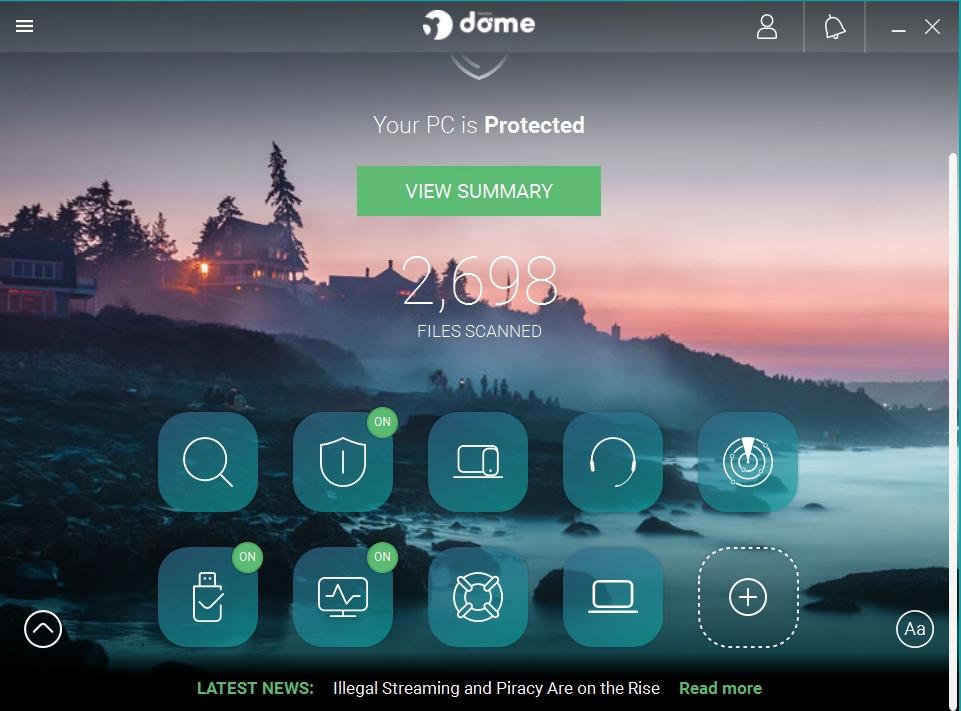
I'll wait and see if you get a response from them before perhaps trying RogueKiller again. If they say what is the last version which should work with XP, and whether it still gets pattern updates, then we can go from there. This is my Panda Dome interface - I do have all the POSReady updates installed BTW.